Labels that match
the recipe, every time.
Print allergen, use-by, freezer, defrost and Natasha's Law sale labels in seconds on a Sunmi printer. The allergens come straight from the recipes in KitchenPortal, so nobody has to type them.
- All 14 allergens filled in from your recipes
- PPDS sale labels in the Natasha's Law format
- Use-by dates worked out for you
- Every label logged with a QR code
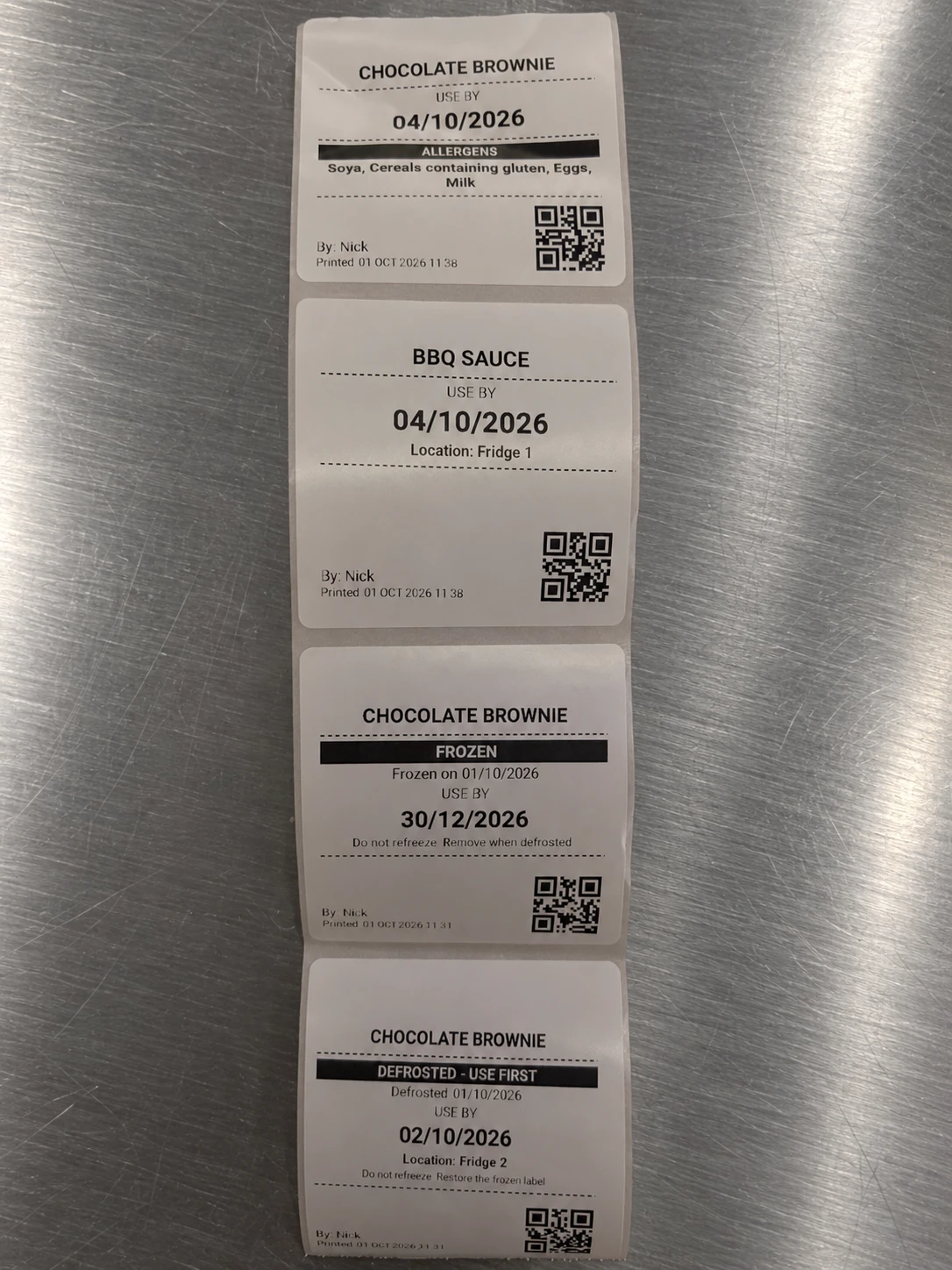
The device, and what it prints.
A managed Sunmi label printer printing real labels in a working kitchen.*
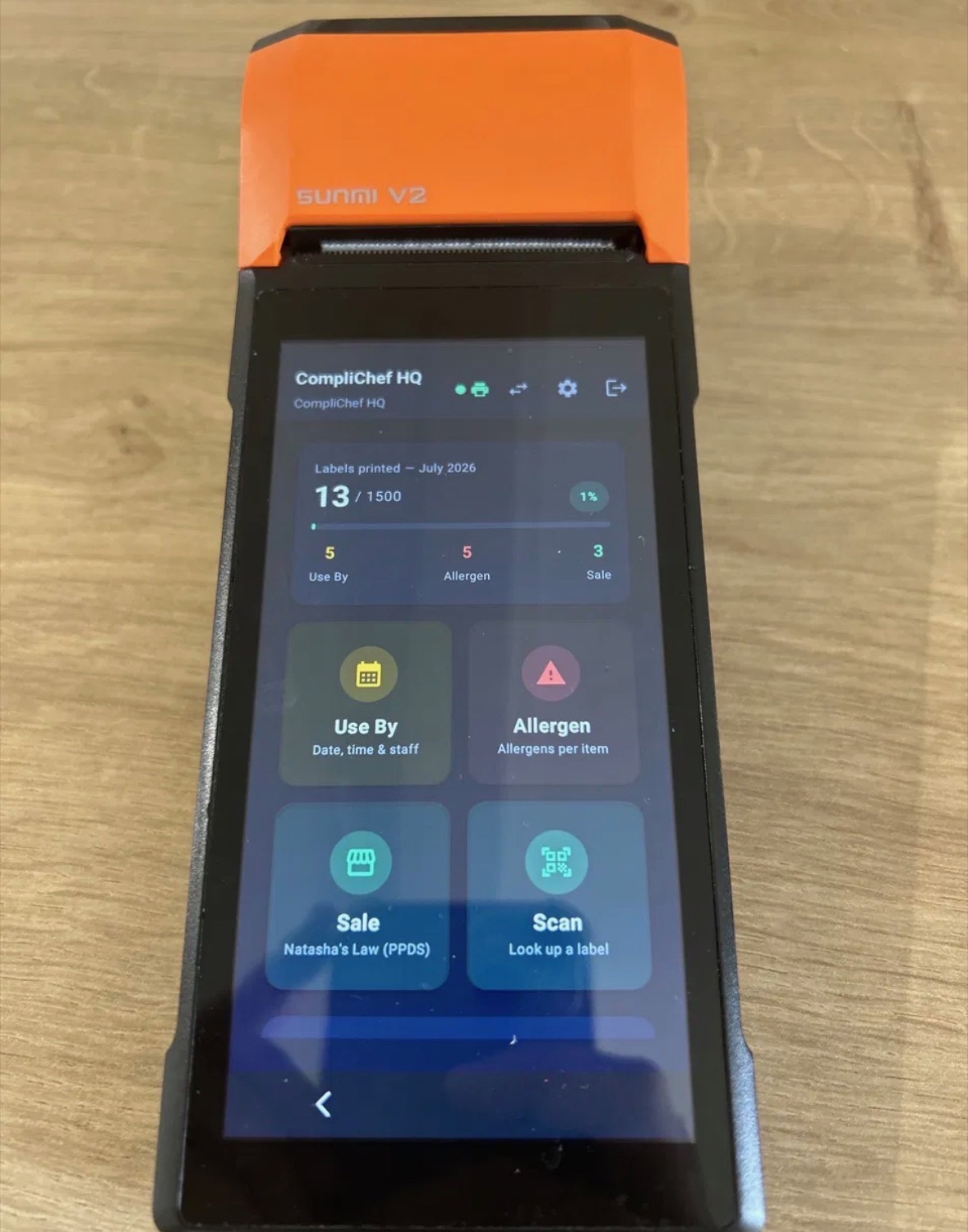
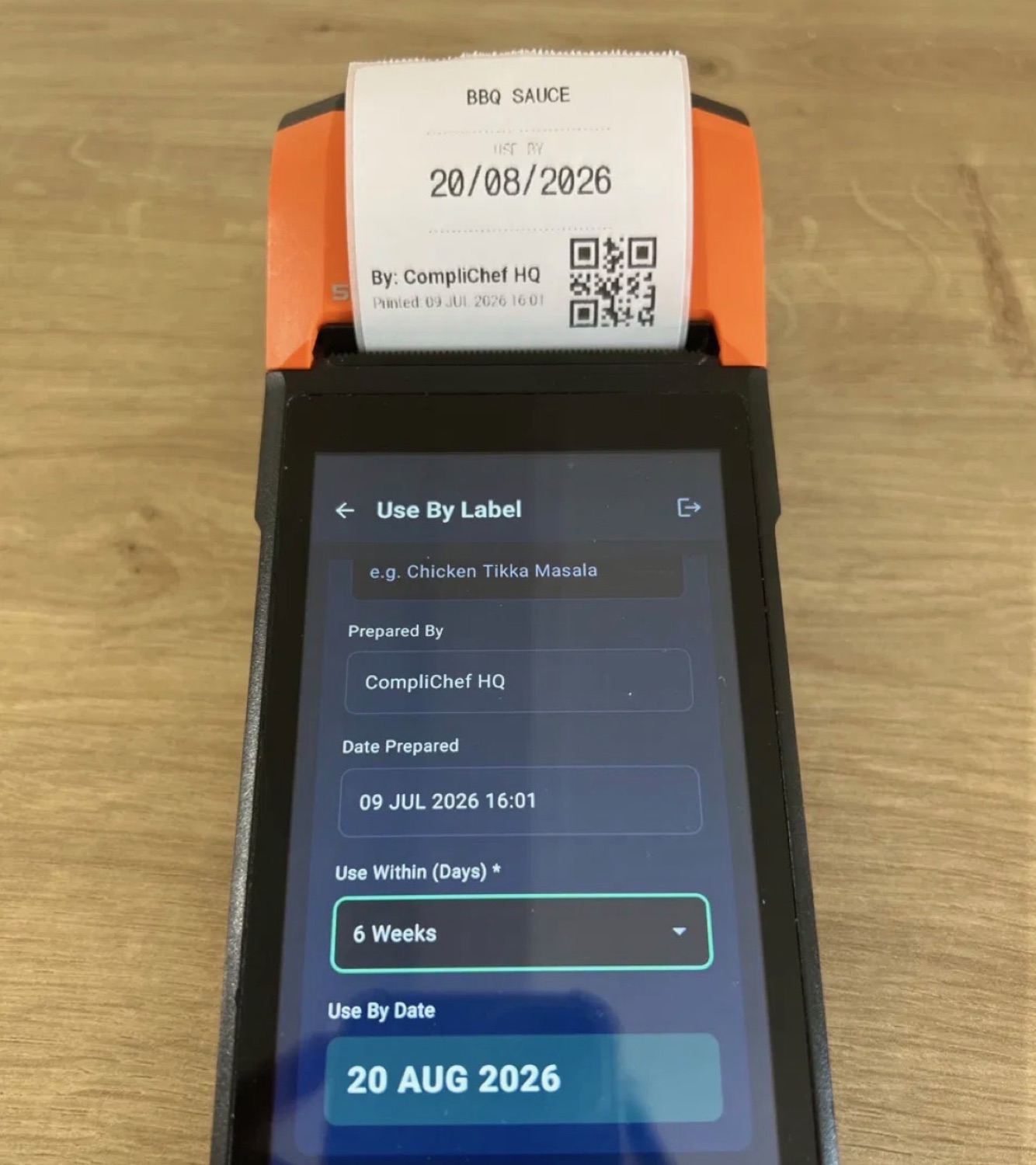
* Photos show our earlier Sunmi V2. New orders ship with the Sunmi V3.
From your iPhone to a printed label.
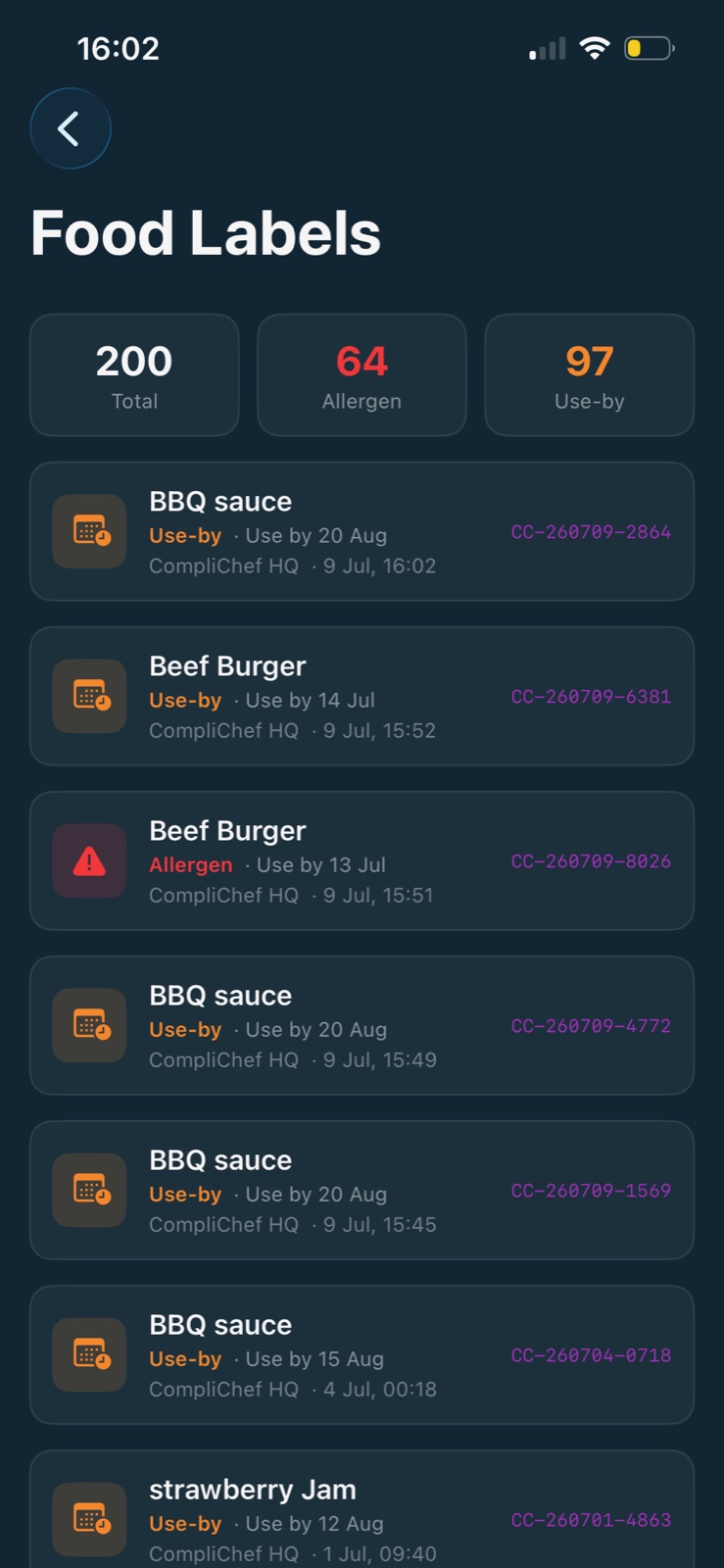
The free Kitchen Portal app on your phone, printing to the £100 Sunmi Cloud Printer. No handheld needed.
- ConnectSearch over Bluetooth and pick your Cloud Printer.
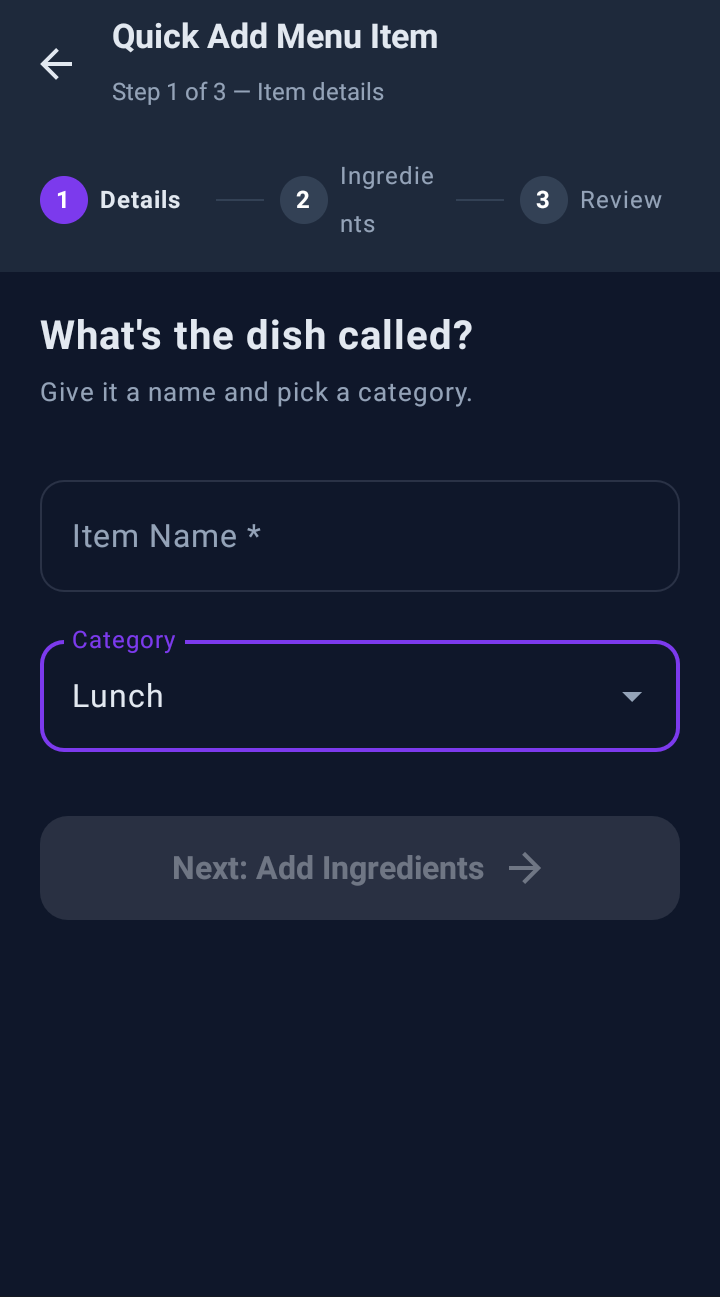
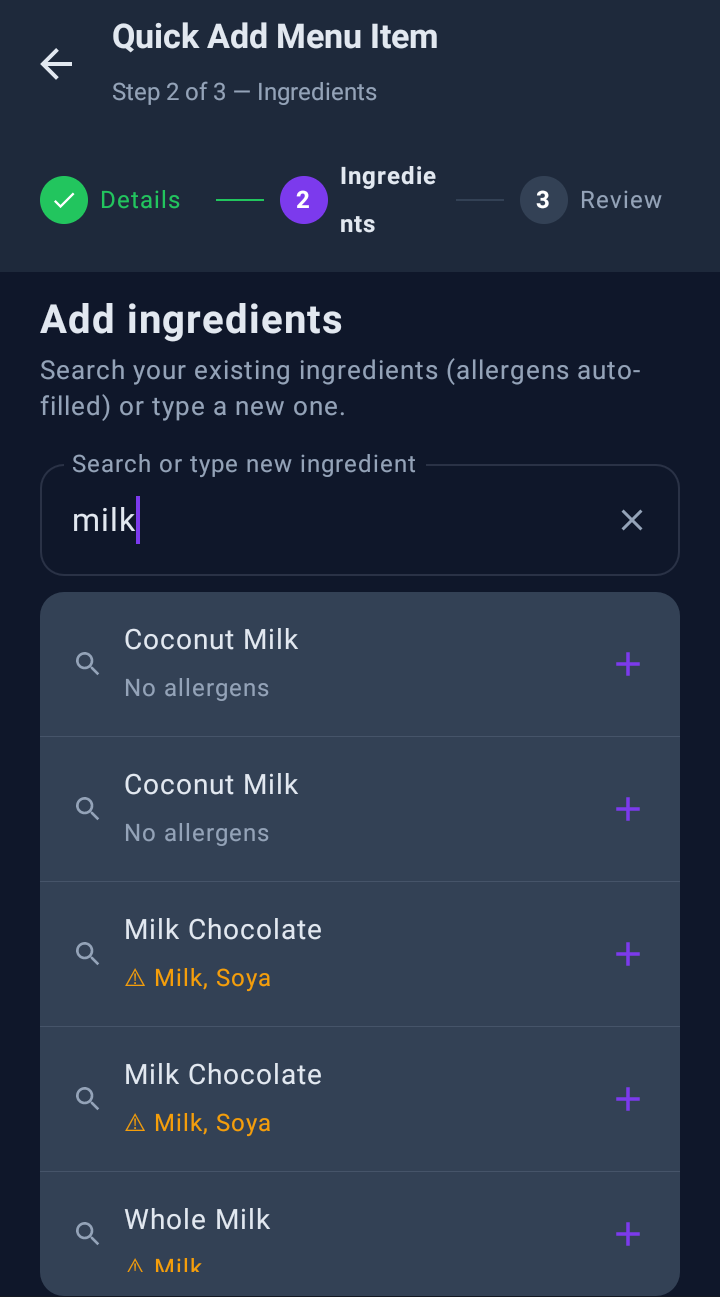
- Allergen labelFill it from a menu item. Allergens come from the recipe.
- Freeze & defrostScan a frozen label and the defrost label prints, linked to it.
- Every print countedToday's labels show up in your KitchenPortal dashboard.
Put the biro down.
Handwritten day dots ask your team to remember the right answer mid-service, with one hand free. A printed label already knows it.
Safer
Allergens come off the dish in KitchenPortal, spelled the same way every time. Change an ingredient once and every label printed after that is right.
Faster
Pick the item, pick how long it keeps, print. The date, prep time and staff name go on automatically, and new starters get it right on their first shift.
Proof
Each label is logged with a QR code: what it was, who printed it, when, and when it runs out. When an EHO asks about date control, you can show them.
Every label type, step by step.
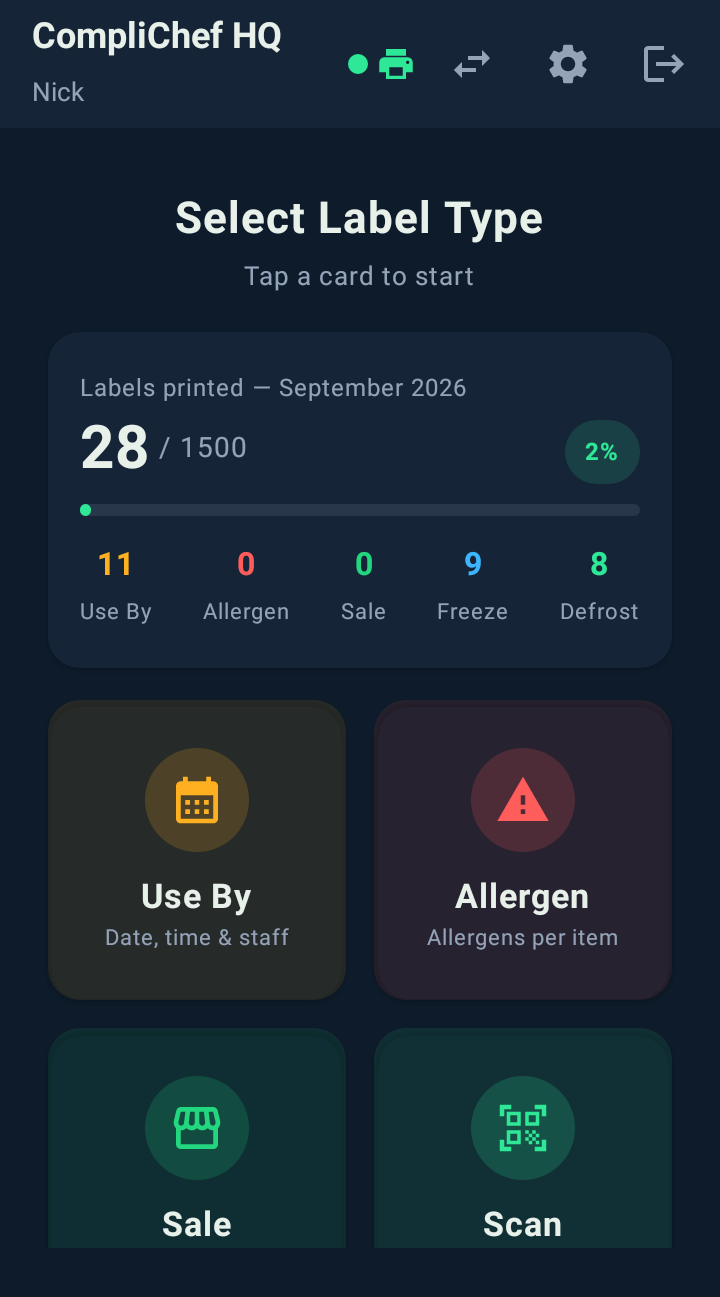
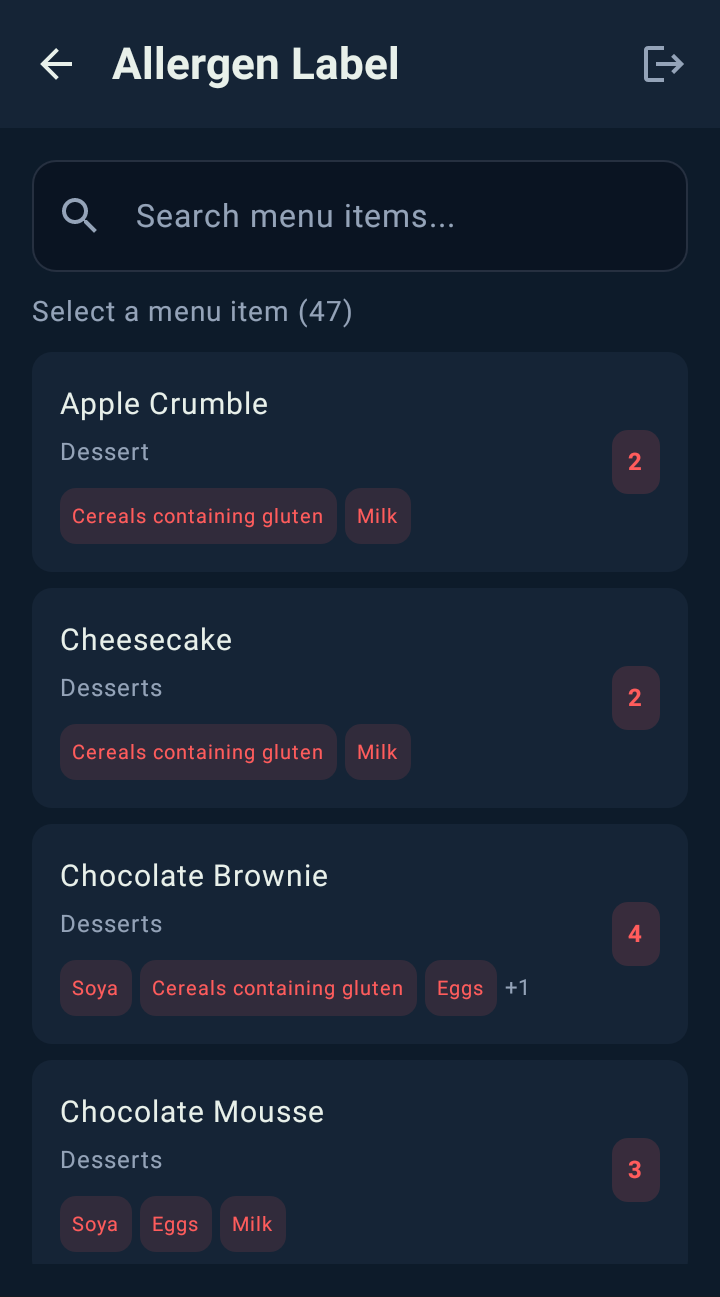
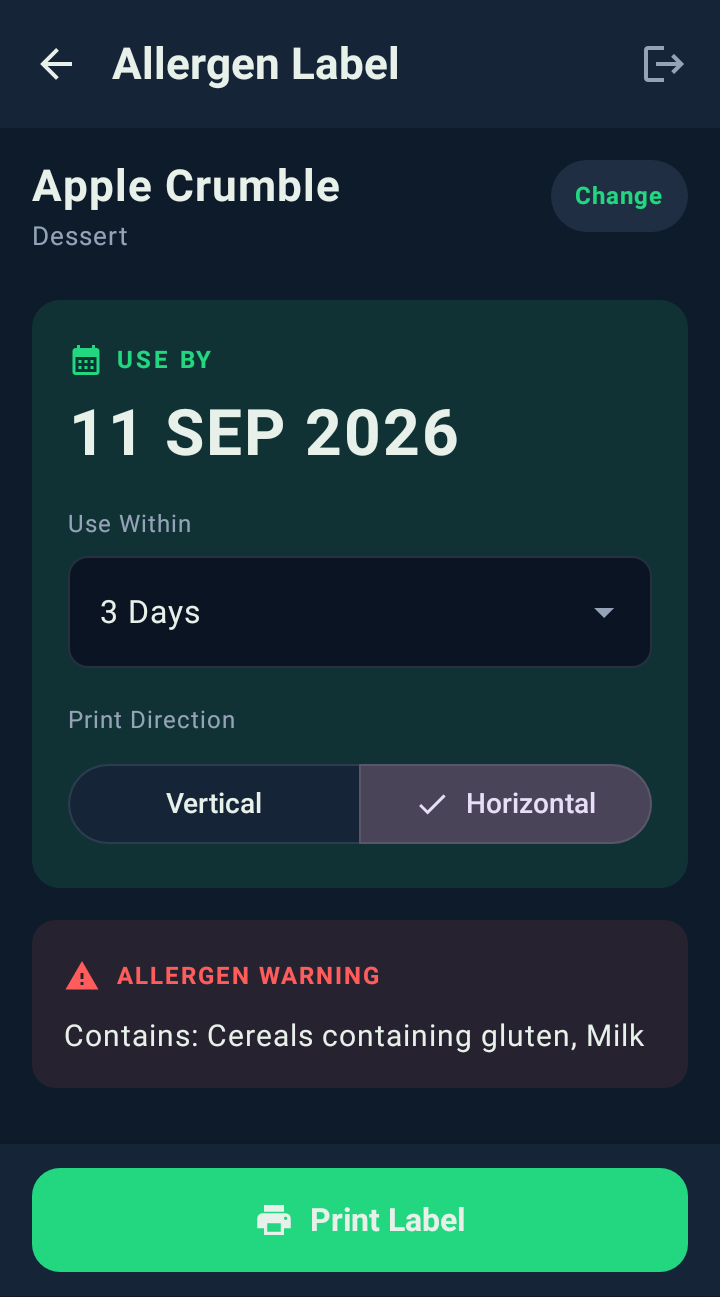
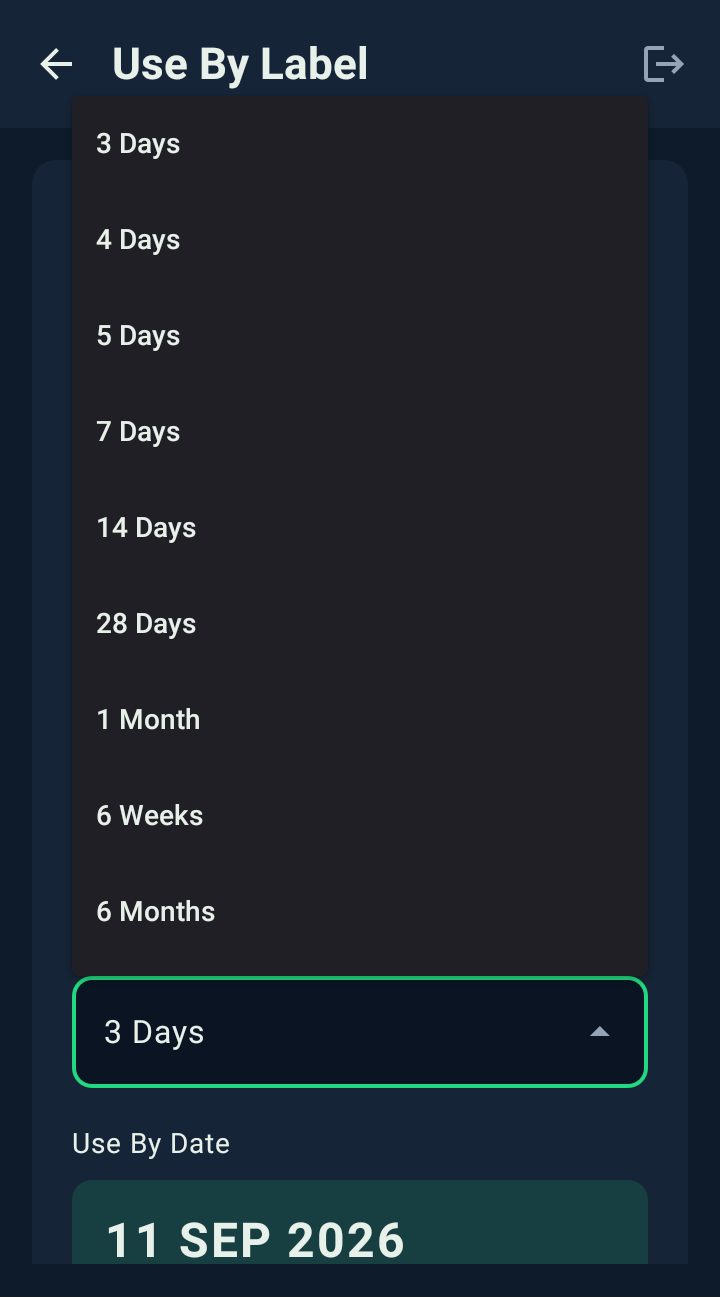
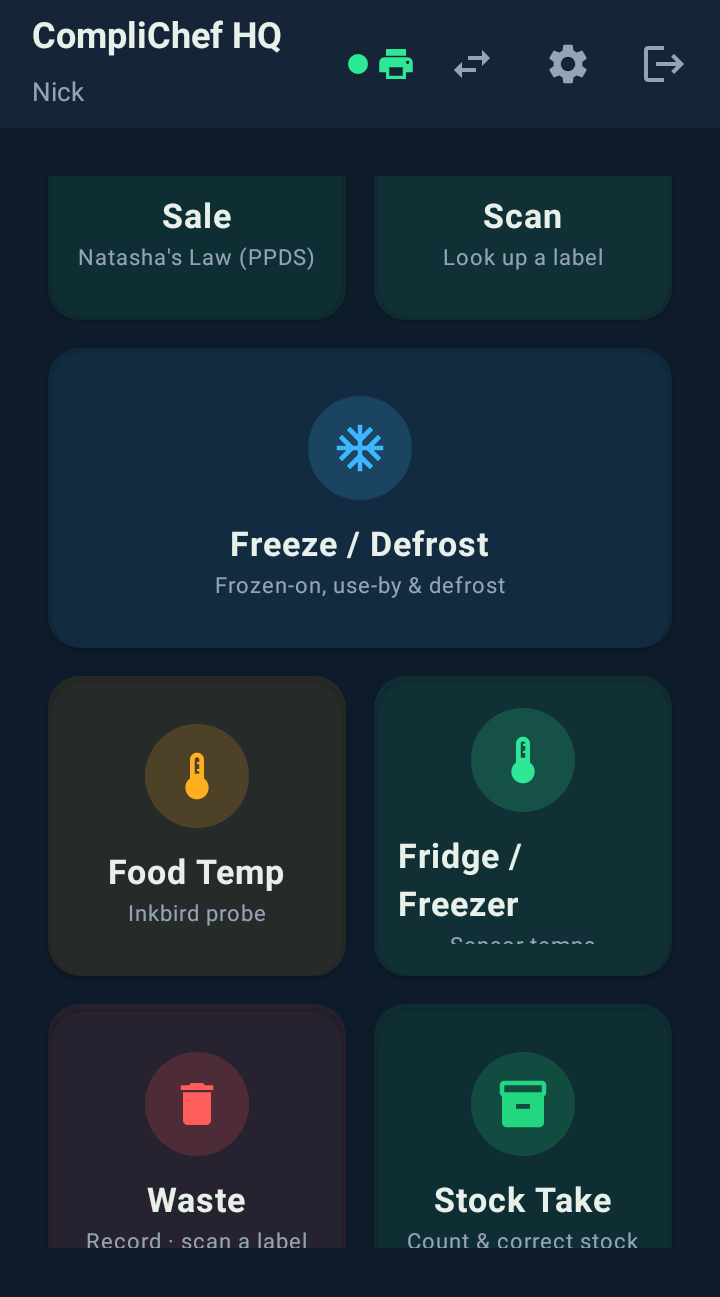
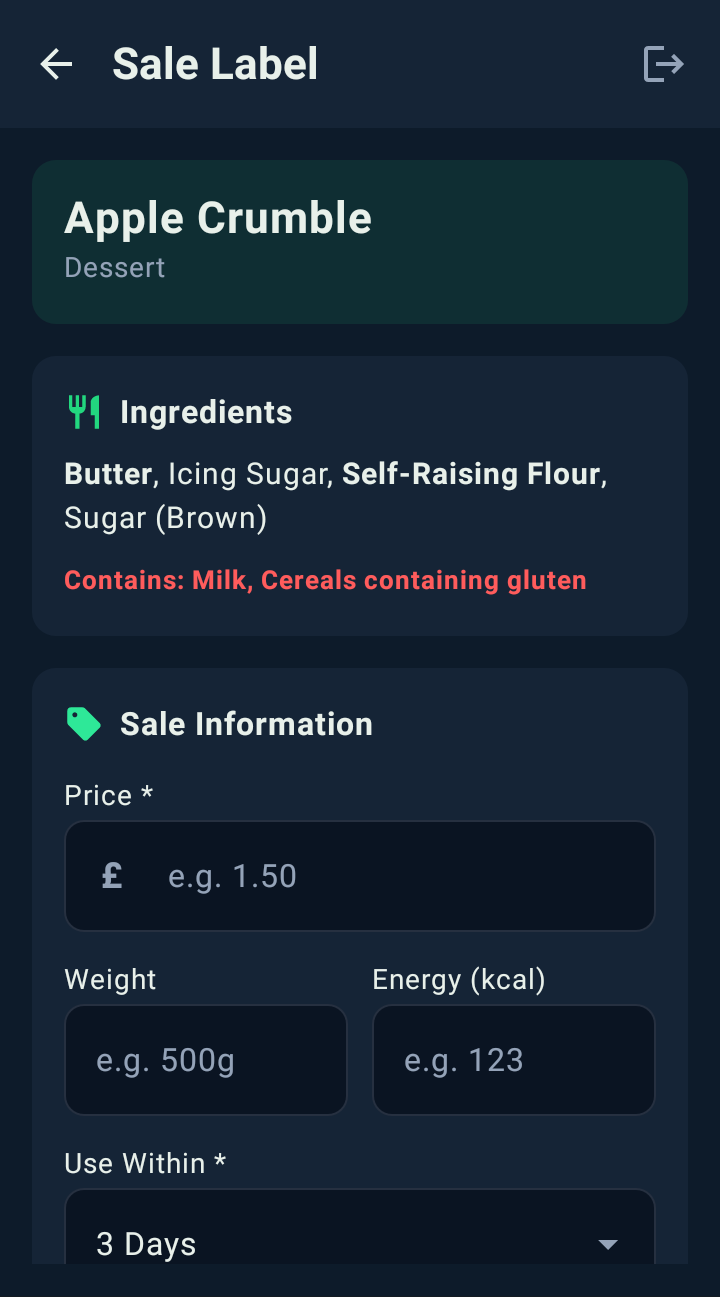
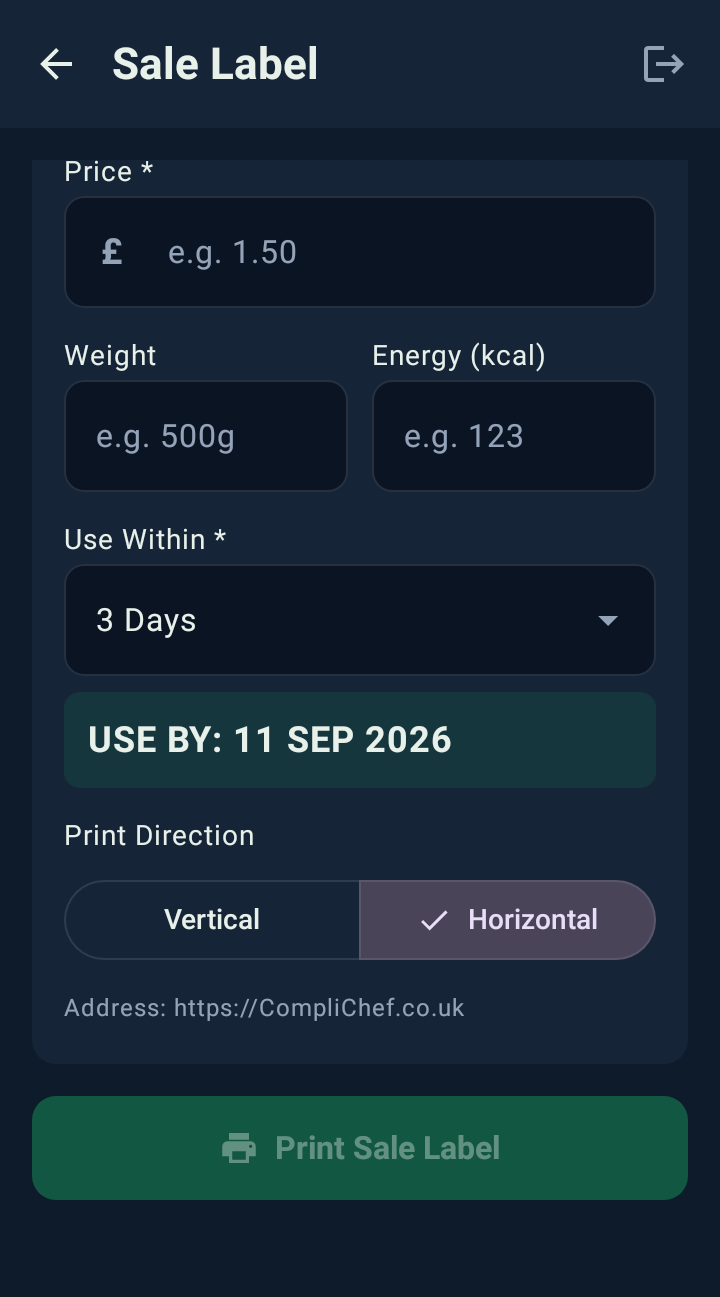
Real screenshots from the CompliChef Labels app on a Sunmi device. Pick a label type.
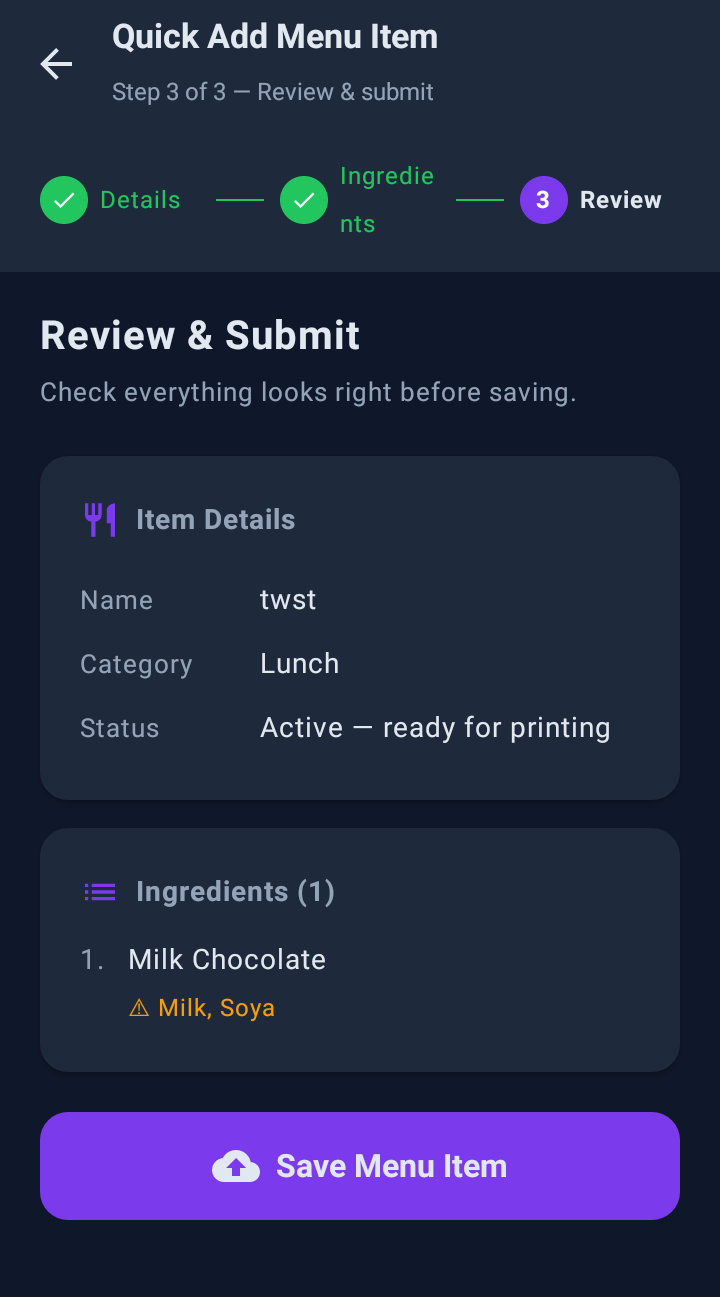
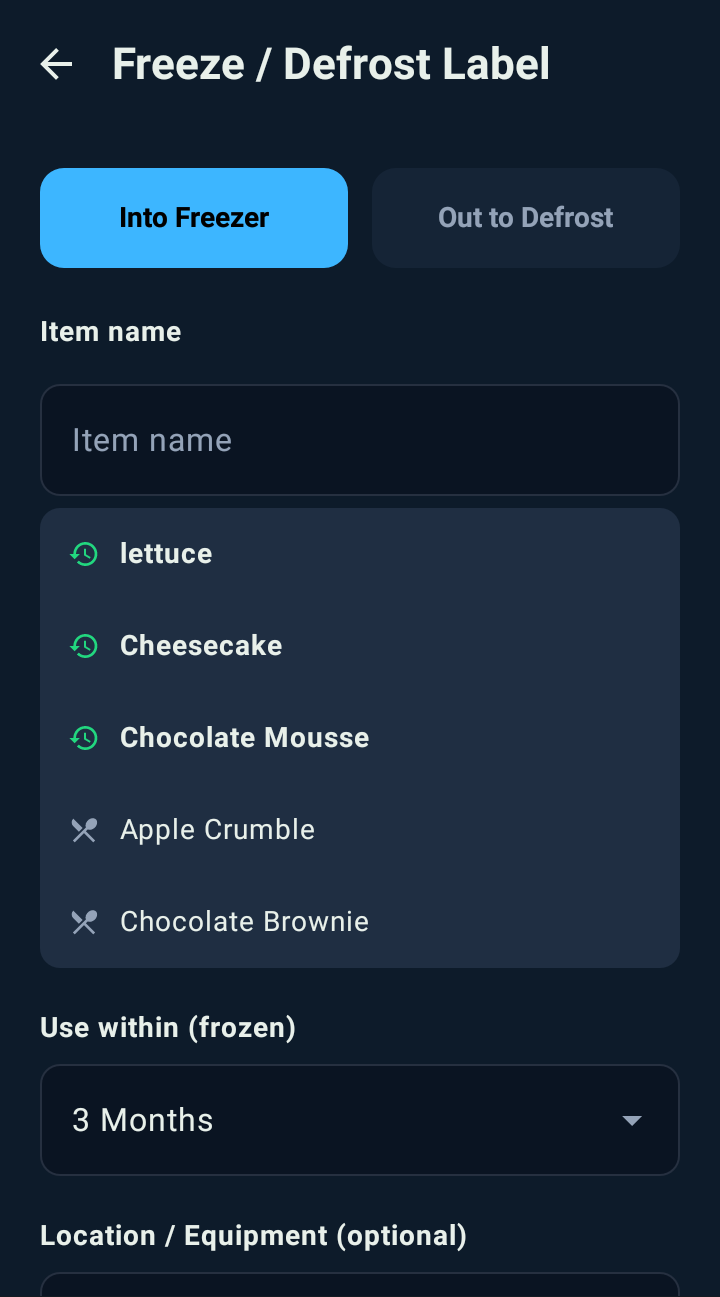
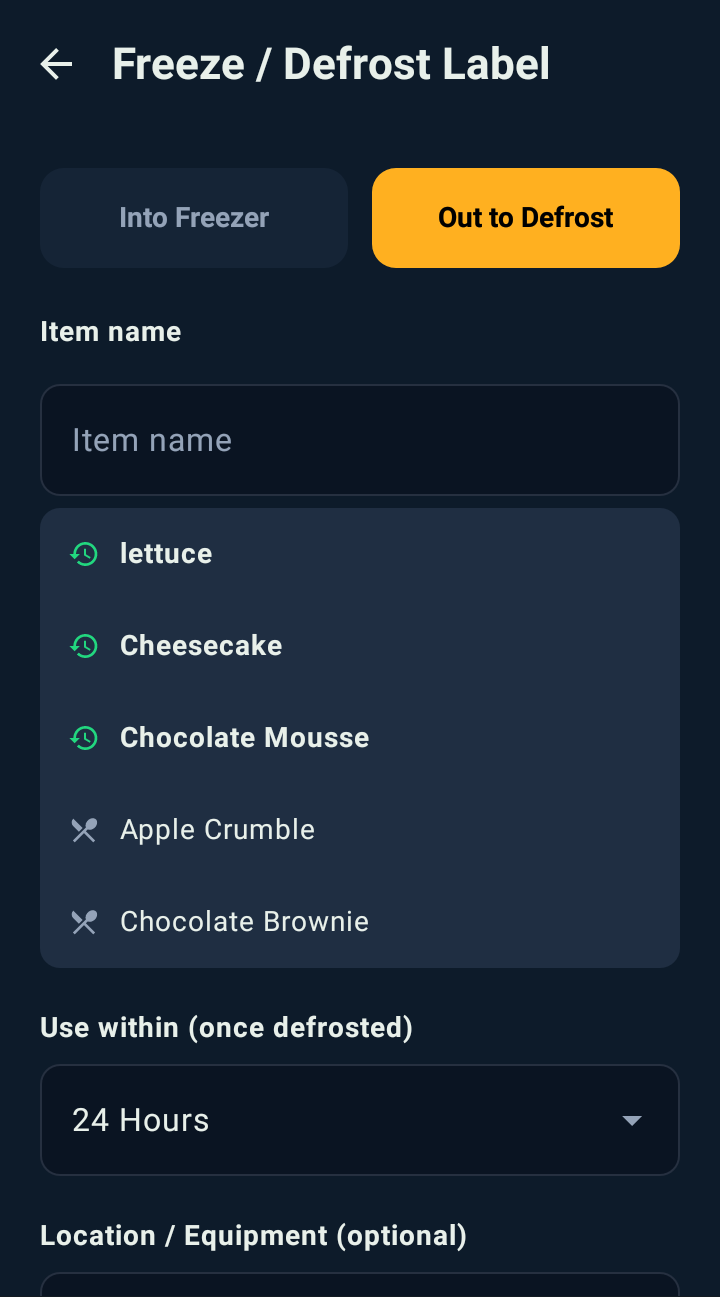
Every label your kitchen needs.
Prep, freezing, defrosting and counter sales all have different date rules. The app asks the right questions for each one.
Allergen label
All 14 major allergens for any menu item, in one tap, from KitchenPortal.
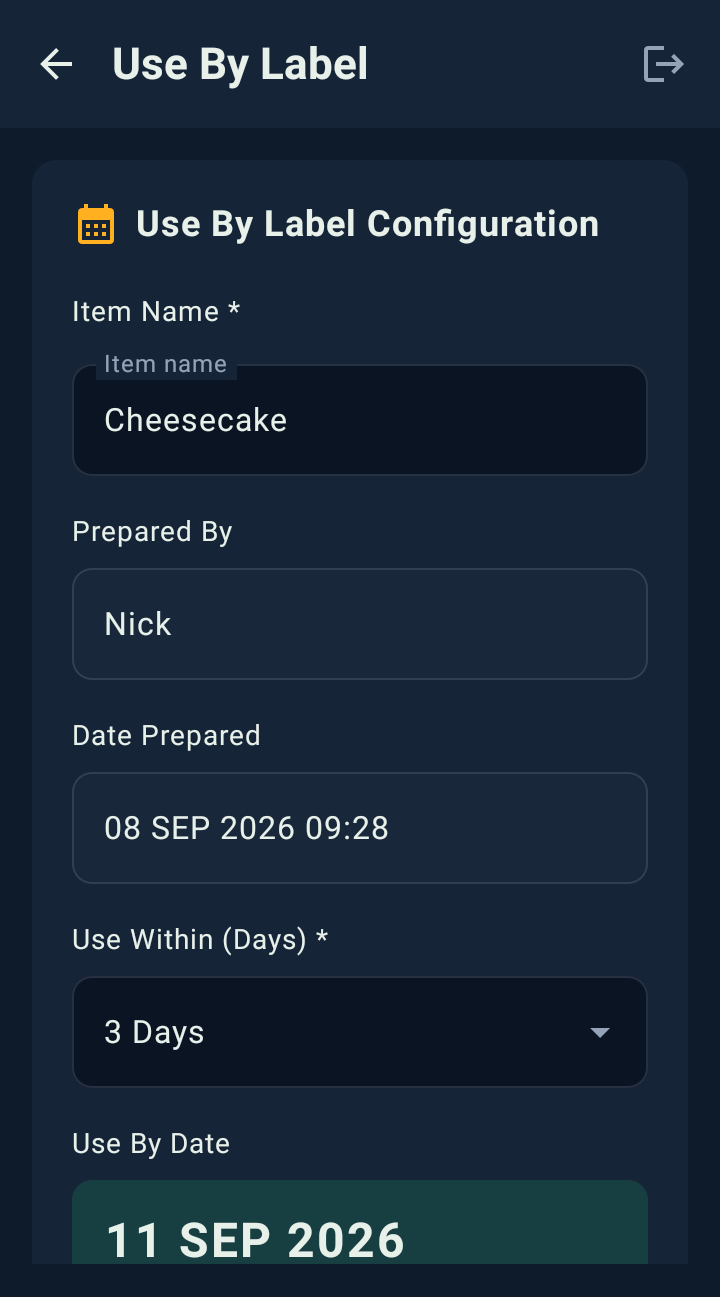
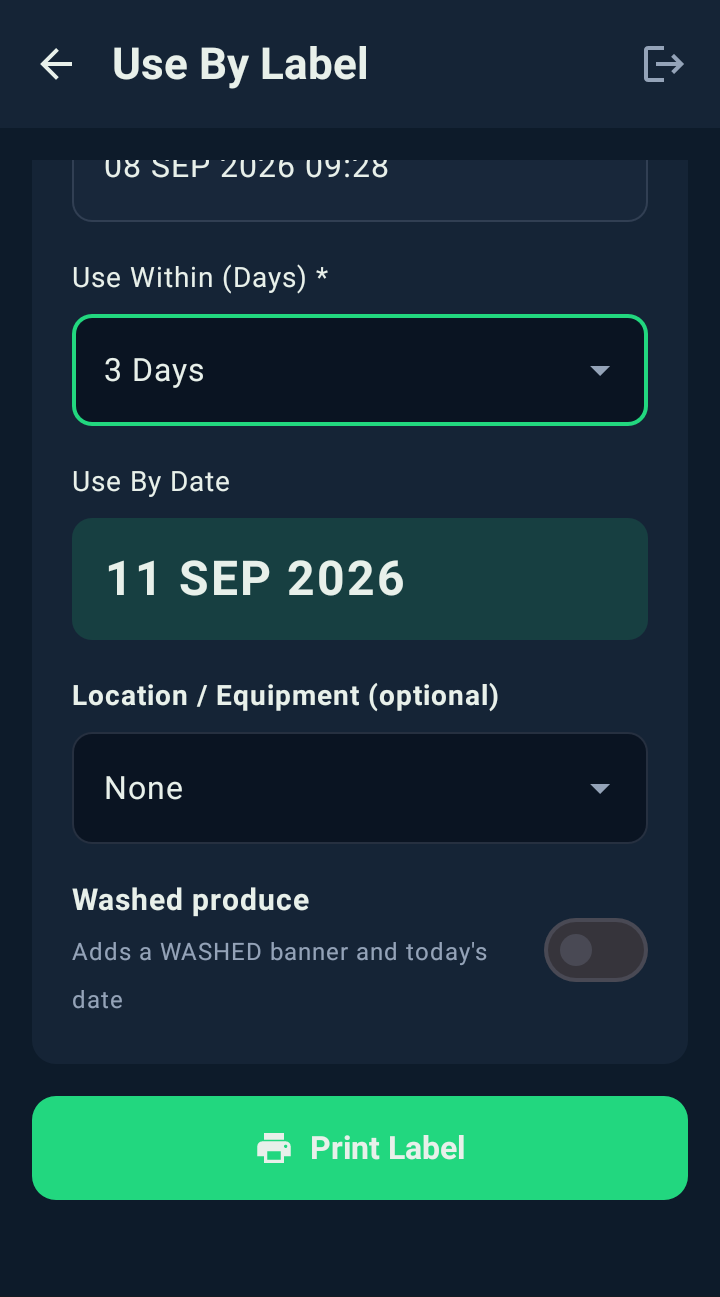
Use-by label
Set the prep date and use-within days, and the use-by date prints itself.
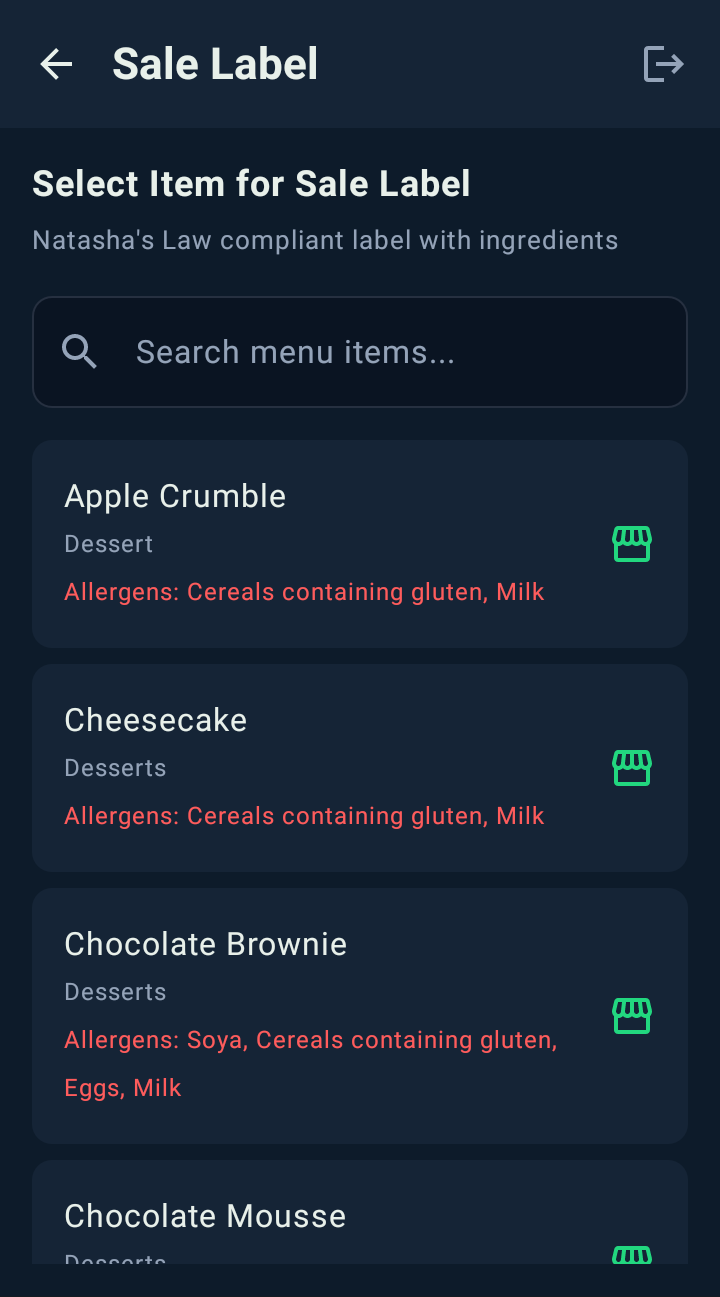
Sale label (PPDS)
Full ingredients with allergens in bold, plus price, weight and energy.
Scan label
Scan a label's QR code to see when it was made, by whom, and if it's in date.
Freeze label
The date it went in and a frozen use-by of up to 3 months.
Defrost label
Swaps to the shorter once-defrosted use-by, 24 hours by default.
Built for Natasha's Law (PPDS)
Sale labels print the full ingredient list with allergens emphasised in bold, the format The Food Information (Amendment) (England) Regulations 2019 set out for pre-packed for direct sale food. The ingredients and allergens come from your KitchenPortal recipes, and you stay responsible for that information being complete and accurate.
Scan any label to check it
Every label carries a QR code. Scan it with the device camera to see the prep date, use-by date and who made it.
- Camera QR scanning on the device
- Prep date, use-by and who prepared it
- Full label history in KitchenPortal
Staff sign in with a badge
Managers email each person a QR badge. Staff hold it up to the camera to sign in, with no passwords or PINs, and every label is saved against their name.
- Badges created by the owner or manager
- Emailed straight to each team member
- Each label linked to who printed it
What day dots and standalone printers miss.
Paper day dots
- Handwritten, easy to get wrong
- No allergen information
- No PPDS sale labels
- No record of what was labelled
Standalone label printers
- Separate software, no link to your records
- Allergens typed in by hand
- Labels lag behind recipe changes
- You look after the hardware
CompliChef Labels
- Allergens from your KitchenPortal recipes
- PPDS sale labels in one tap
- Use-by dates worked out for you
- Every label logged with a QR code
- Managed device with remote updates
A handheld, or a counter-top printer.
Every option is bought outright, with no rental. Pick the one that suits how your kitchen works.
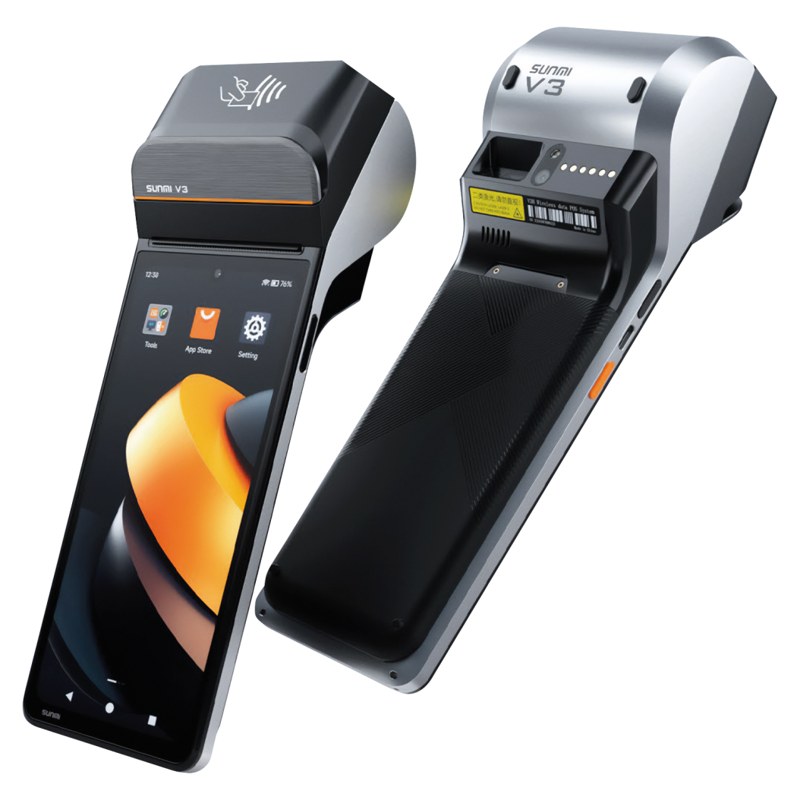
Sunmi V3 label printer
An Android handheld with a built-in thermal printer. It's set up with CompliChef before it arrives, and it's yours to keep.
- Use-by, allergen and Natasha's Law labels
- Works with INKBIRD probes and fridge sensors
- No deposit, 12-month warranty
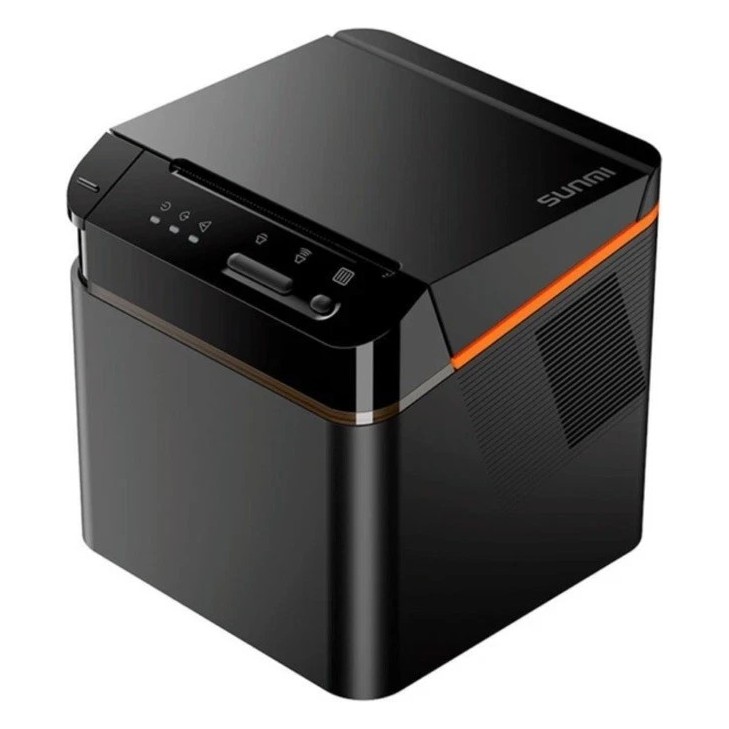
Sunmi Cloud Printer
A counter-top label printer. Print from the free Kitchen Portal app on your own iPhone, iPad or Android device, or from a Sunmi M3.
- Use-by and allergy labels
- 50×50 mm and 80 mm labels
- Uses the phones and tablets you already have
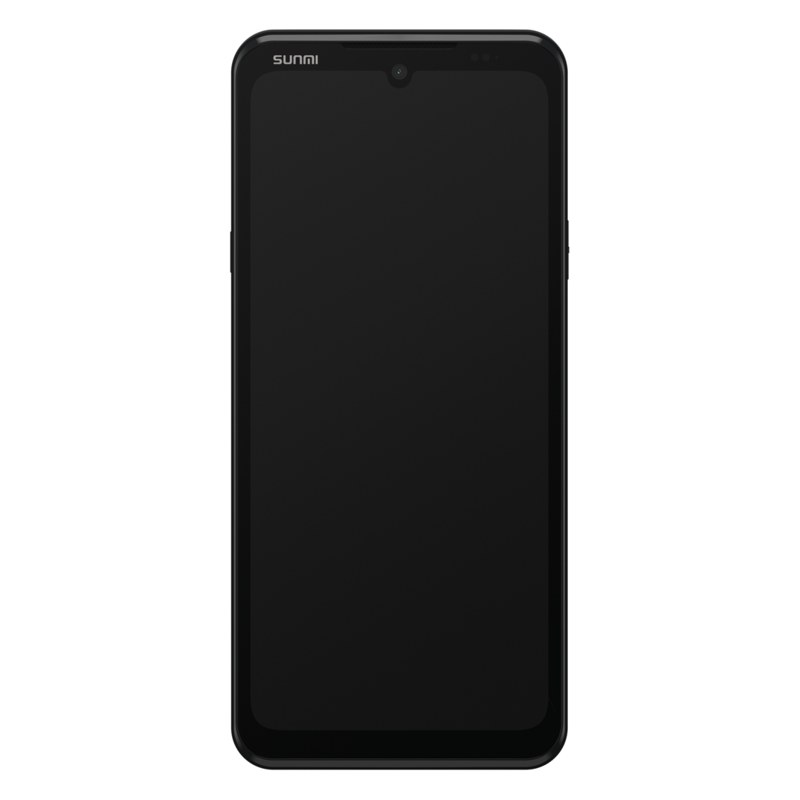
Sunmi M3 handheld
A slim Android handheld (3GB RAM, 32GB, Wi-Fi) with Kitchen Portal already set up. Pair it with the Cloud Printer to print labels.
- Ready to use out of the box
- Prints to your Sunmi Cloud Printer
- Works with the INKBIRD food probe
All devices work with an active CompliChef plan and are bought in your CompliChef portal. Don't have a plan? Solo Labels gives you the V3 with its own dashboard.
Buy the printer. Keep the printer.
No rental and no deposit. The printer is yours, and it prints from your KitchenPortal recipes.
An Android handheld with the printer built in. It arrives set up, enrolled in remote management and linked to your KitchenPortal account. Plug it in and print.
- Yours to keep, no deposit
- 12-month warranty
- Labels app and remote updates included
- Return it unused within 14 days for a full refund
A counter-top label printer. You print from the CompliChef Kitchen Portal app on the phones and tablets you already have, or from a Sunmi M3.
- Yours to keep, no rental
- Use-by and allergy labels, 50×50 mm and 80 mm
- Kitchen Portal app is free on iOS and Android
- Labels sold separately
Plus a CompliChef plan, from £39/month
Labels print from your KitchenPortal recipes and allergen records, so you need an active plan. It covers one site with unlimited staff, and you can cancel any time.
Label rolls from £1.50
Order rolls from your portal when you need them. We dispatch within 2 working days.
The CompliChef Kitchen Portal app is free. Get it on the App Store for iPhone and iPad, or download the Android app from inside the web KitchenPortal. To print labels or log records with it, you need an active CompliChef plan.
No CompliChef plan? Try Solo Labels
The same £310 printer plus £30 a month for its own web dashboard and 500 labels delivered. You enter item details on the device instead of pulling them from recipes.
Solo LabelsCommon questions.
1 Are the sale labels in the Natasha's Law format?
Yes. Sale (PPDS) labels print the full ingredient list with allergens emphasised in bold, the format set out in The Food Information (Amendment) (England) Regulations 2019. The information comes from your KitchenPortal recipes, and you're responsible for keeping it complete and accurate.
2 Do I have to type allergens in?
No. When you pick a menu item its allergens are already there, taken from the recipe in KitchenPortal. Update the recipe and every label printed after that picks up the change.
3 What device does it run on?
A managed Sunmi V3, an Android handheld with a built-in thermal printer. It arrives set up and linked to your account, costs £310 and is yours to keep. There's also the £100 Sunmi Cloud Printer, a counter-top printer that prints from the Kitchen Portal app on your own phone or tablet, and the £250 Sunmi M3 handheld that pairs with it.
4 How do I get more labels?
On a CompliChef plan you order label rolls from your portal when you need them, from £1.50 a roll, dispatched within 2 working days. If you'd rather have labels included, Solo Labels bundles 500 labels a month into its £30 monthly price.
5 Can I use it across several sites?
Yes. On a multi-site plan, staff choose their site when they sign in, and each label is saved against that site's records. You'll want one device per kitchen.
6 What if I change my mind?
Return the printer unused within 14 days for a full £310 refund. You can cancel your plan at any time, and the printer stays yours.
Ready to stop hand-writing labels?
Your printer arrives set up and ready, so you can be printing within days.