Going digital is the easy bit. Getting the whole kitchen to keep using it after week one is where most sites struggle.
You install the app, walk the team through a couple of logs, and for a few days everything looks tidy. Then Friday service hits, someone forgets the fridge check, the clipboard habit creeps back in, and by Monday you're chasing gaps again.
CompliChef was built by a chef and has been used in real UK kitchens since 2018, so this pattern is familiar. The fix is not another training session. It is putting the right nudges in place for the people doing the checks, and a clear close-out for the people responsible for the day.
Here is a practical way to do it: push notification reminders for the team, email alerts and digests for owners and managers, and the end-of-day checklist that helps you finish on track.
Start with buy-in, not a full rollout
Before you turn every reminder on, get the team on side.
Start small. Pick one or two checks that already happen every day. Fridge temperatures and the food probe are usually the easiest. Make those digital first. Once the habit sticks, add cleaning, the daily diary and the rest.
Name a champion. Choose one person on each shift who owns the morning and evening checks. When their name is on it, completion rates rise. Everyone else still helps; one person keeps the rhythm.
Set reminders for the times checks actually happen. A fridge temp reminder at 9:00am only works if that is when someone is free to do it. Match the clock to your real prep and close-down, not an ideal timetable.
Keep the why short. Staff do not need a lecture. One line is enough: digital logs stay readable, time-stamped and ready when you need them. No greasy clipboards and no missing pages.
Push notification reminders: nudge the whole team
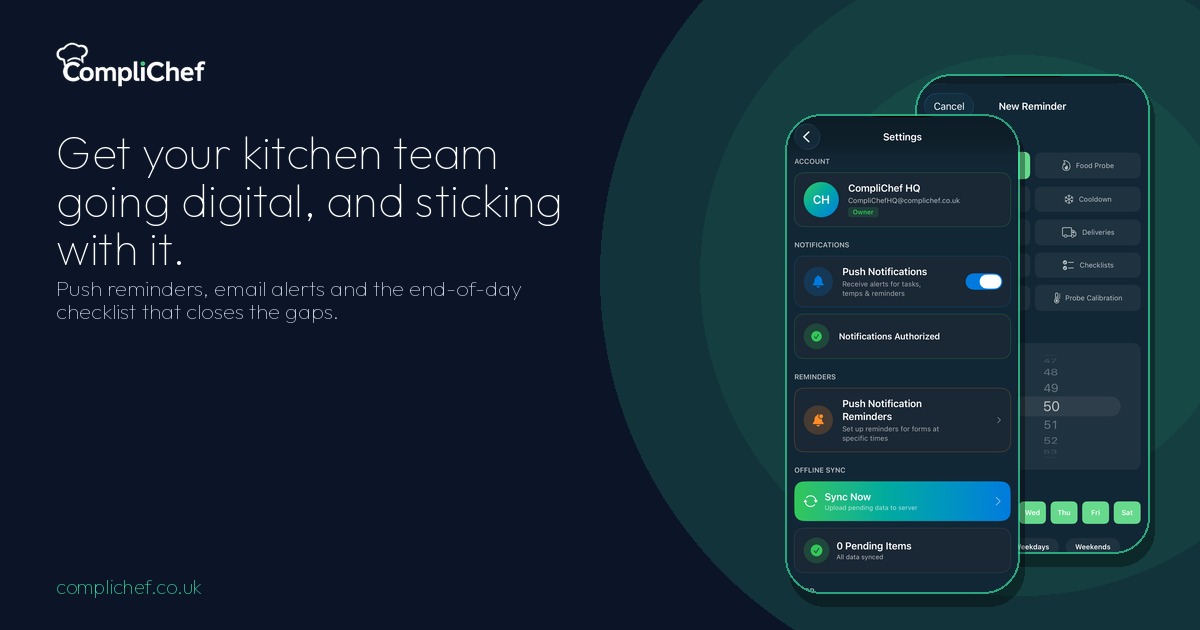
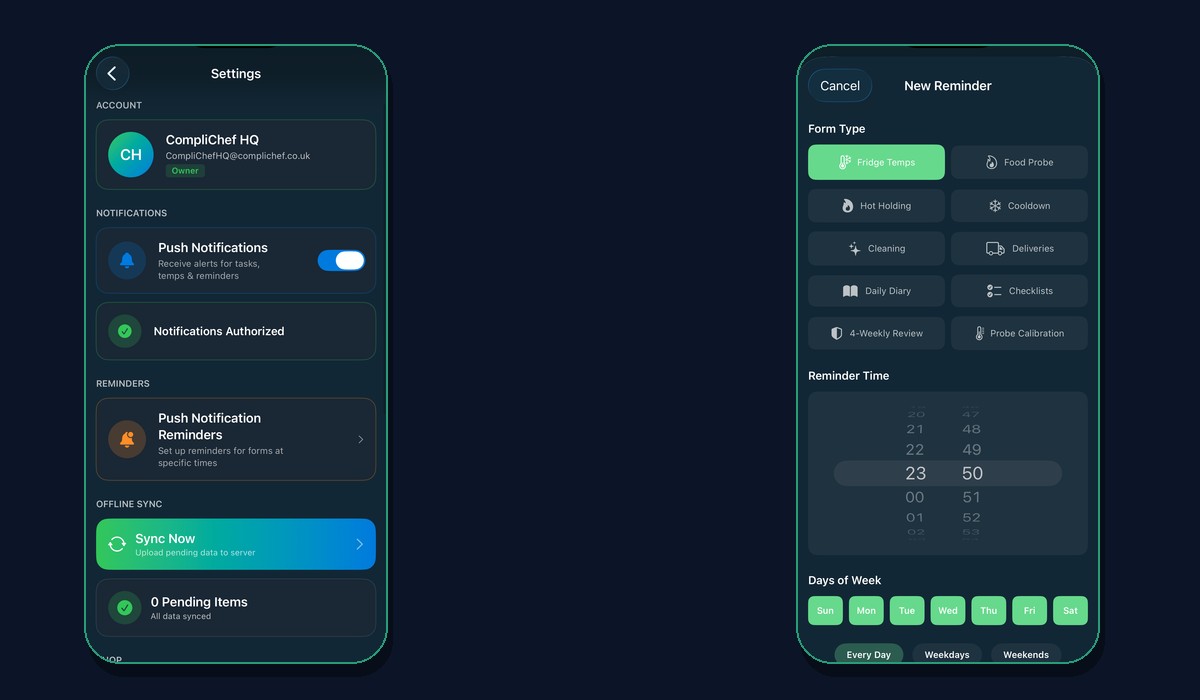
In the CompliChef app, open Settings, then Push Notification Reminders. From there you can tell all staff to complete forms at the times you choose.
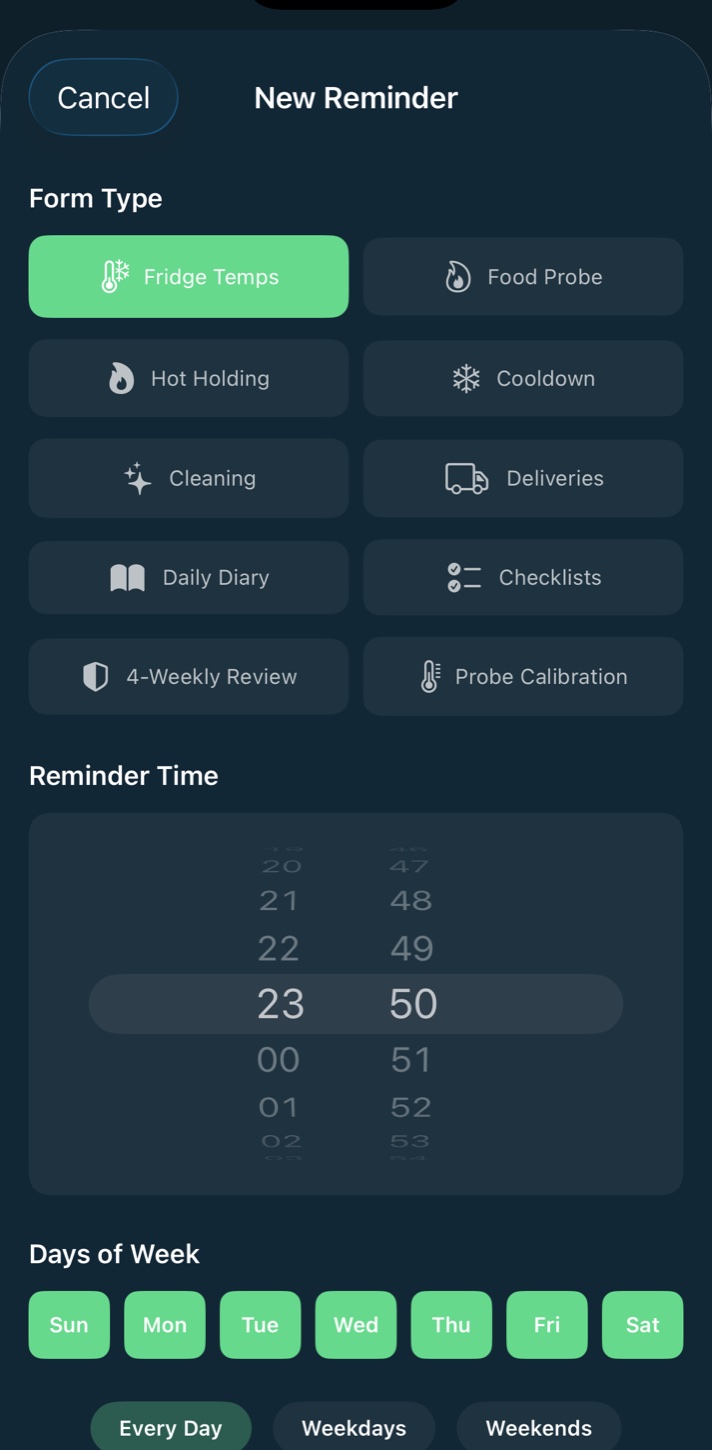
Each reminder is a form type, a time and a schedule (for example every day), with its own on/off toggle. Typical setups look like:
- Food Probe: 9:00am
- Checklists: 9:18am
- Fridge Temps: 10:24am
You can add more for hot holding, cleaning, the daily diary, probe calibration and the other form types your kitchen uses. When a reminder fires, staff get a push notification on the device. A tap, not a chase from the manager.
Turn reminders on for the checks you care about most, and leave the rest off until the team is comfortable. Too many pings on day one and people start ignoring them.
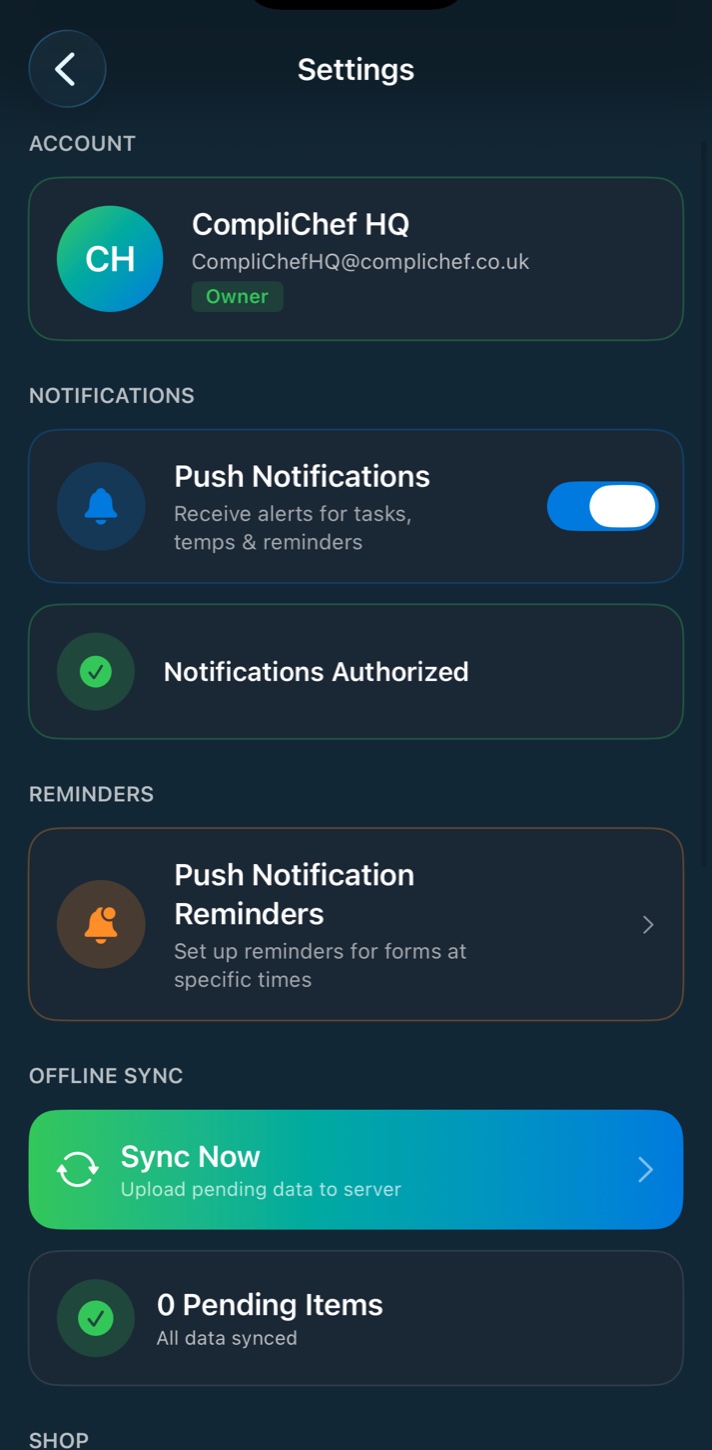
From the same Settings screen you can also confirm push notifications are authorised, run Sync Now if anything is pending offline, and open the shop for compatible Bluetooth thermometers.
Email alerts and digests: keep owners and managers in the loop
Staff reminders keep the floor moving. Email notifications keep owners and managers informed without living in the app all day.
Email delivery is managed by CompliChef. There is nothing for you to set up on a mail server. Notifications go to all active owners and managers on the account.
Immediate alerts
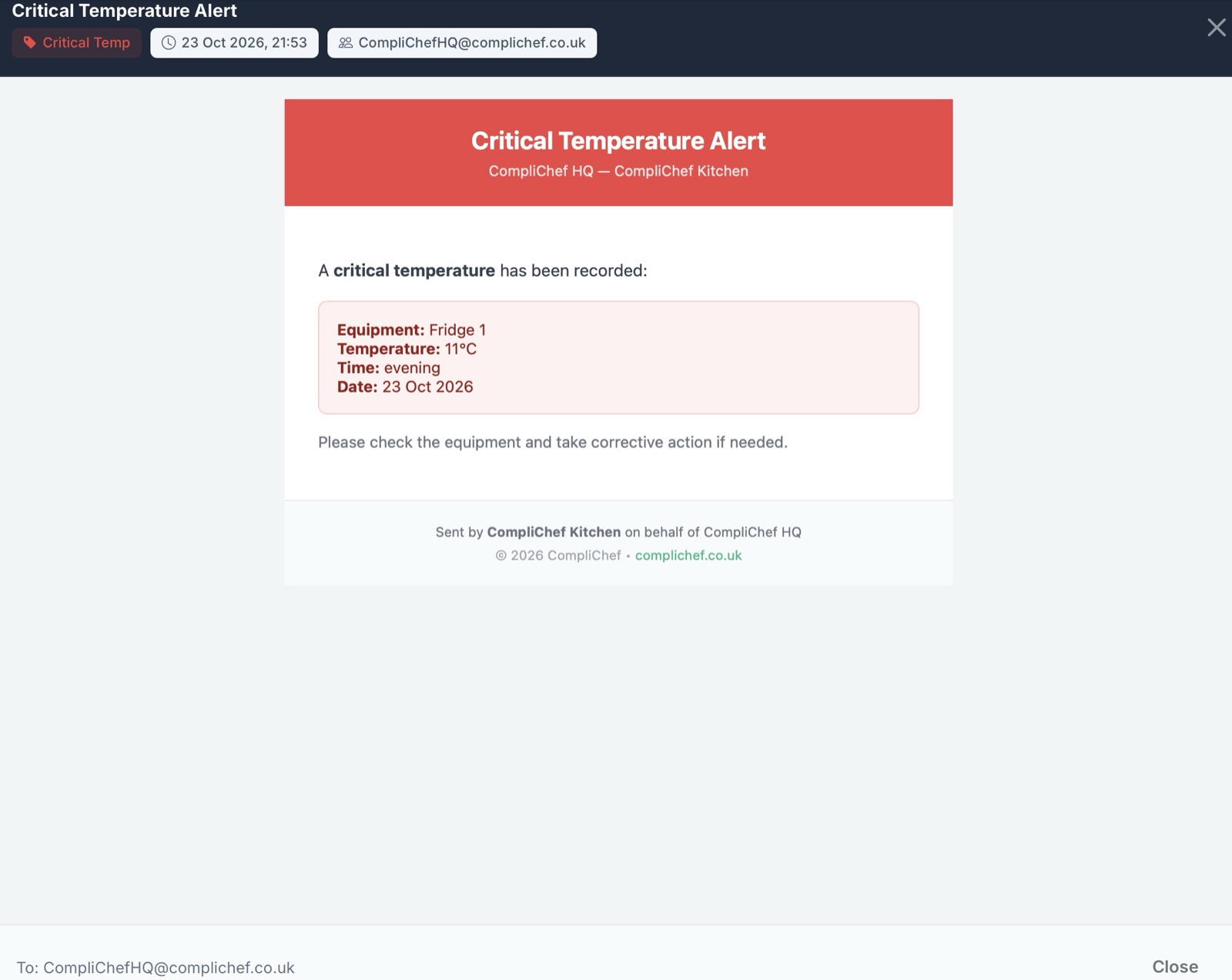
These go out when something needs attention straight away:
- Critical temperature
- Accident / incident reports
- Equipment breakdown
- Overdue calibrations
Daily Digest
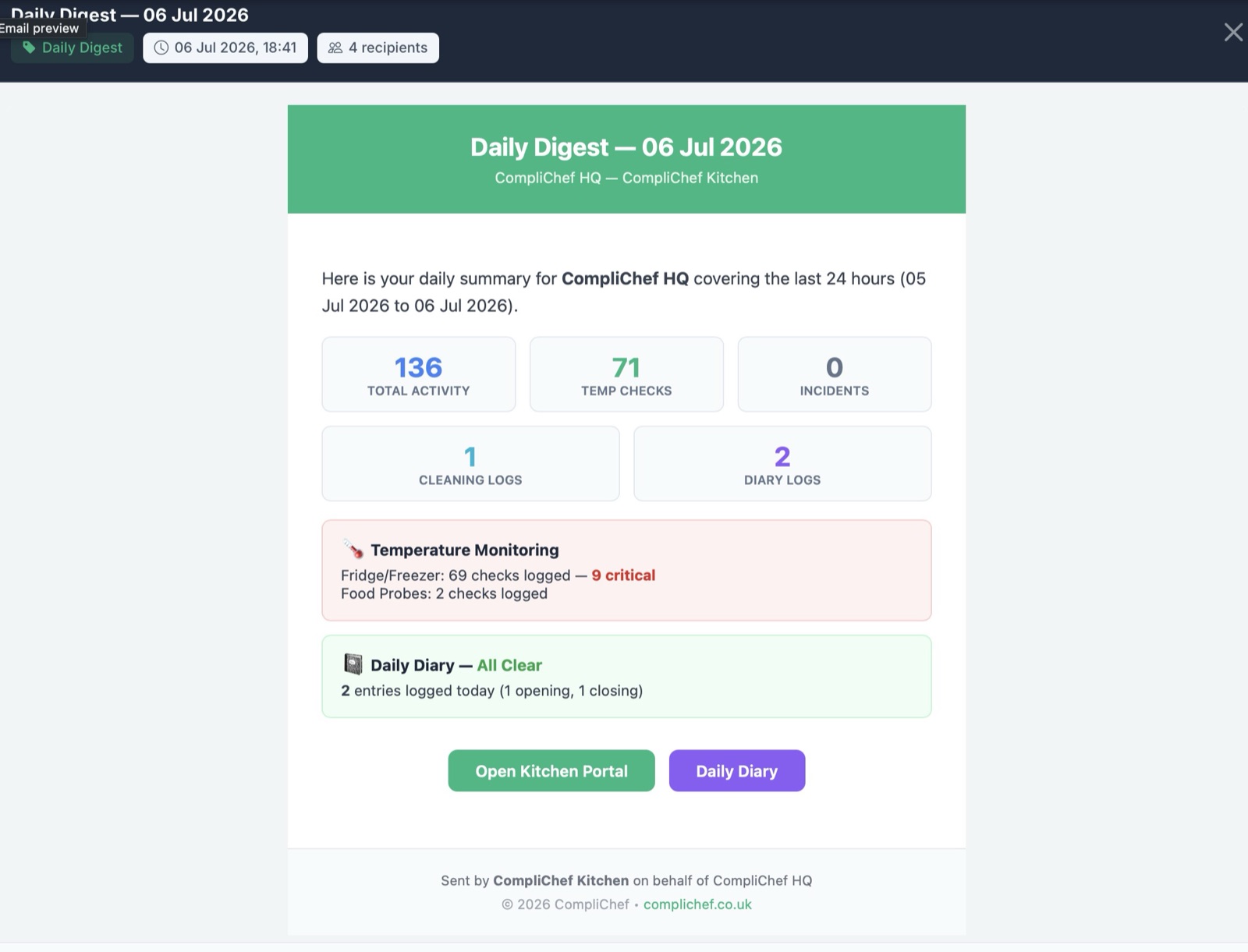
Sent at a time you set, the Daily Digest summarises the last 24 hours: temperature logs, incidents, cleaning completions, overdue calibrations and other activity. It is the morning or evening brief without opening every log by hand.
Close-of-Day Summary
This one is aimed at owners and managers. It tells you if any checks were missed today. It is sent by push and email only when something was missed, at your closing time, and it runs every day, including days you are closed. Missed checks stay on your records as missed, so the summary is a prompt to catch up, not a way to hide gaps.
Monthly Data Export
On the 1st of each month, CompliChef emails 10 CSV files as a backup. If the portal is unavailable during an EHO inspection, you still have a local copy of the data to fall back on.
Together, reminders and email mean the team gets nudged in the moment, and management sees what mattered, without scrolling through every form.
End the day: the manager checklist that closes the gaps
Reminders reduce misses during service. The end-of-day checklist is how managers finish the day on purpose.
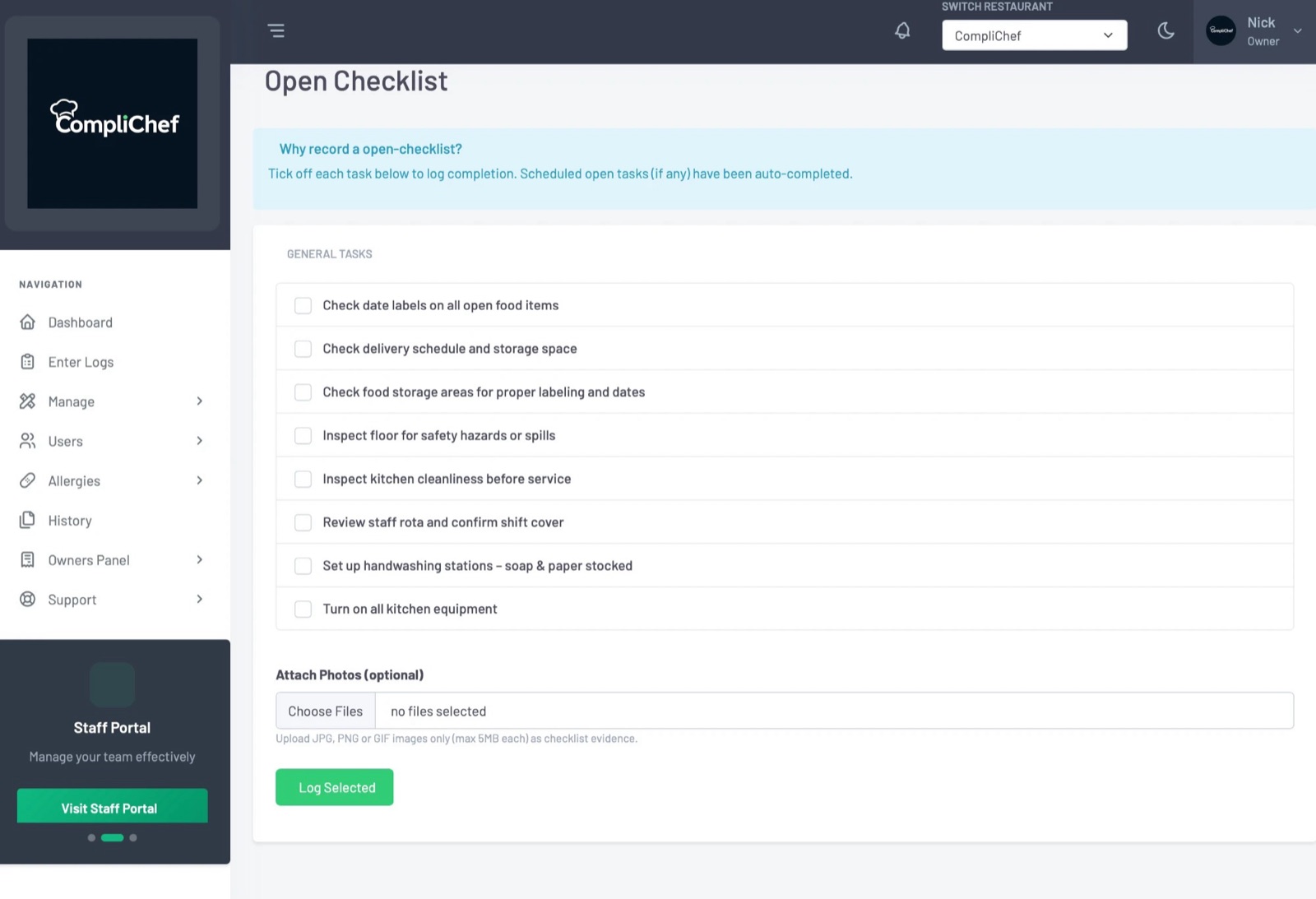
On KitchenPortal (kitchen.complichef.co.uk) the end-of-day view shows what is still outstanding. For example 17 things still to do and 0 of 20 checks complete, grouped into sections such as fridge and freezer temperatures, food probe and daily diary.
Each gap has a Do it now action so you can jump straight into the missing check. When you have worked through the list, use Check again to refresh the picture, then End the day to close it out.
Make this part of the manager's close-down, not an optional extra. Five focused minutes at the end of service beats discovering blanks on Monday morning, or when an inspector asks for yesterday's records. For what belongs on the list, see our kitchen opening and closing checks guide.
A simple routine that works in busy kitchens:
- Champion completes the scheduled checks during the shift (helped by push reminders).
- Manager opens the end-of-day checklist before leaving.
- Anything still open gets a Do it now, or is consciously accepted and will show as missed.
- End the day, then trust the Close-of-Day Summary to flag anything that slipped through.
Putting it together
Digital only sticks when the system fits the shift.
- Reminders meet staff at the right time of day.
- Email alerts and digests give owners and managers visibility without hovering.
- The end-of-day checklist turns "I think we did everything" into a clear list, with a way to finish.
None of that replaces good kitchen practice. It just makes the good practice easier to keep when the pass is slammed and everyone wants to get home.
CompliChef is built for UK hospitality, by a chef, and used in real kitchens since 2018. If you are ready to try the reminders, email notifications and end-of-day flow with your own team, start a 14-day free trial.