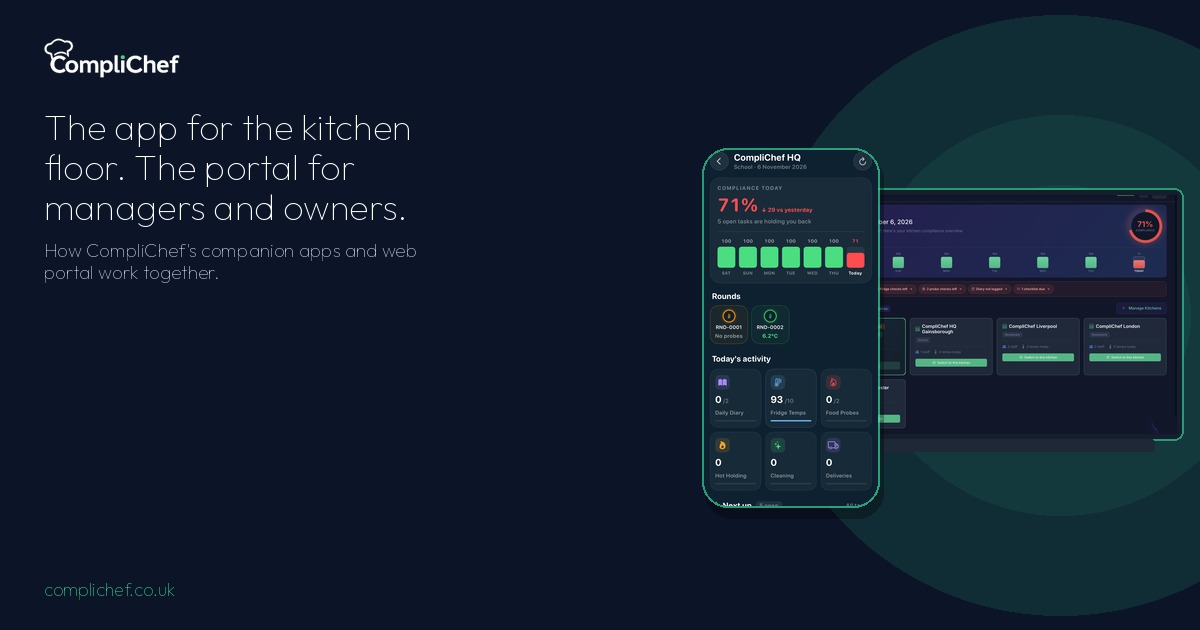
CompliChef has two parts, and they are meant for different people.
The apps are companion apps for the kitchen floor. Staff use them to log records and get alerts while service is running.
The web portal is for managers and owners. It is where you see compliance across the day, switch between kitchens, dig into history, and configure how the site runs.
Same account. Same records. Two views of the work.
Built for how kitchens actually split the work
CompliChef was built by a chef and has been used in real UK kitchens since 2018. The split between app and portal comes from that experience.
The person holding a probe at 9am does not need the same screen as the owner checking five sites from a laptop. One needs the next task, large and obvious. The other needs the overview, the gaps, and the settings that keep every site consistent.
The companion apps: for staff on the floor
On the phone or tablet, the app opens on what matters today. Compliance today shows how the shift is going. Today's activity breaks out Daily Diary, Fridge Temps, Food Probes and the other checks in progress.
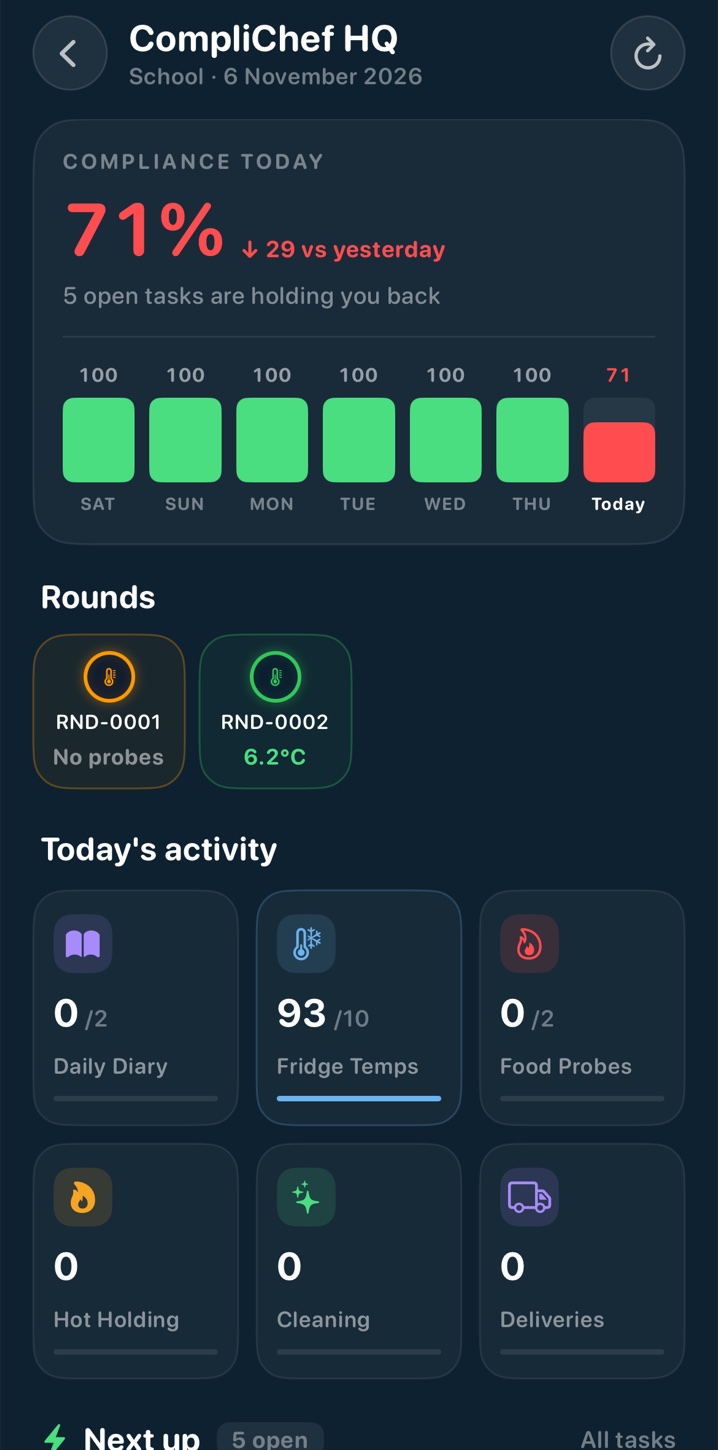
Next up lists the open tasks so nobody has to guess what is still owed. On a busy morning it can show five open items, for example:
- Check toilets, with a Complete checklist action
- Daily diary, 2 left, due by 09:00
- Food probe, 2 left
- Scheduled cleaning, due today
- Check Closing, marked for later
Quick Actions put the common logs one tap away: Daily Diary, Fridge Temps, Food Probe, Hot Holding, Cool-down, Cleaning, Deliveries, Waste, Checklists, Allergy Hub, 4-Weekly Review and Probe Calibration.
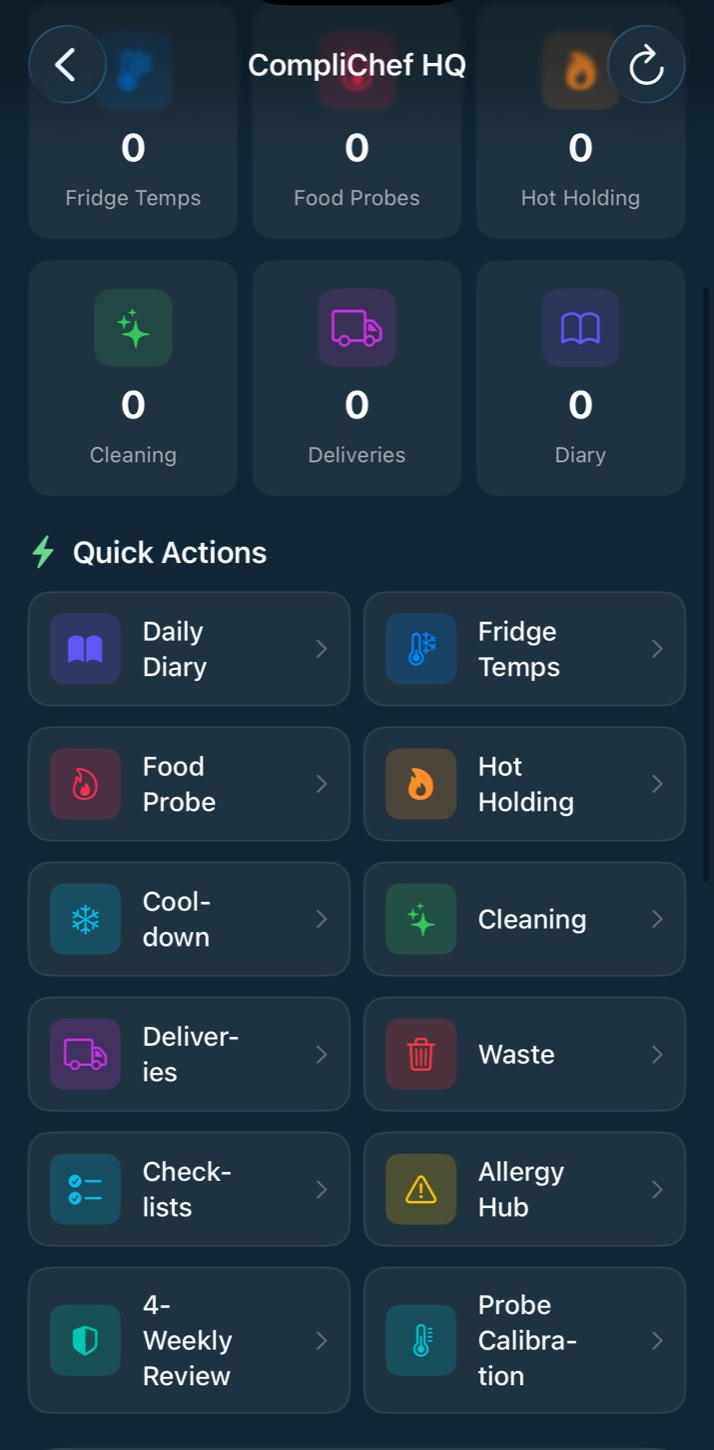
That is the staff job in one place: see what is open, tap the log, get the alert if something needs attention. No hunting through a portal menu mid-service.
The web portal: for managers and owners
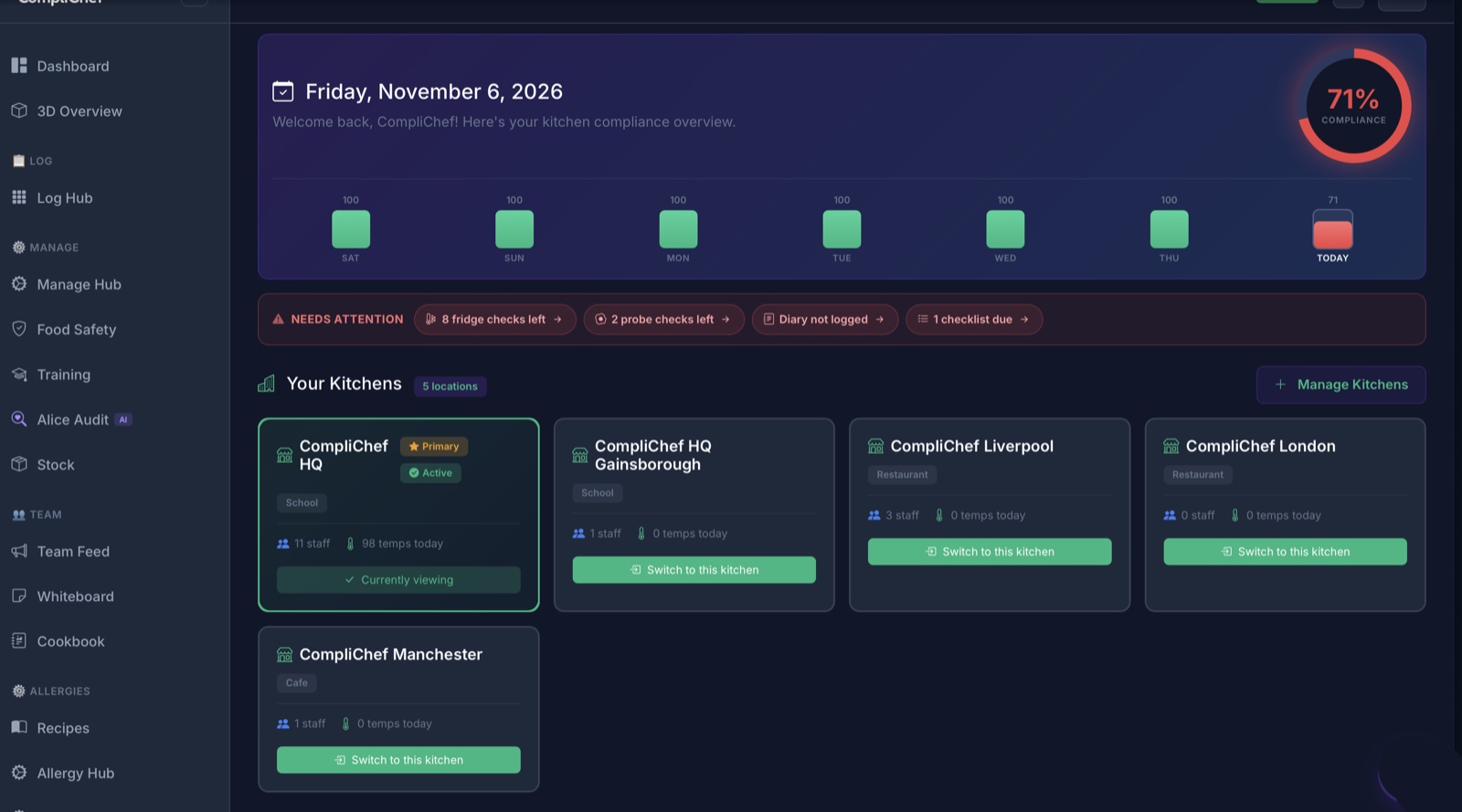
Open the portal on a laptop and you get the management view. The Dashboard shows compliance for the day (for example 71%), a seven-day bar chart, and a Needs attention row that spells out the gaps: fridge checks left, probe checks left, diary not logged, checklists due.
Your Kitchens lists every location on the account. You can see which site you are viewing and switch to another with one click.
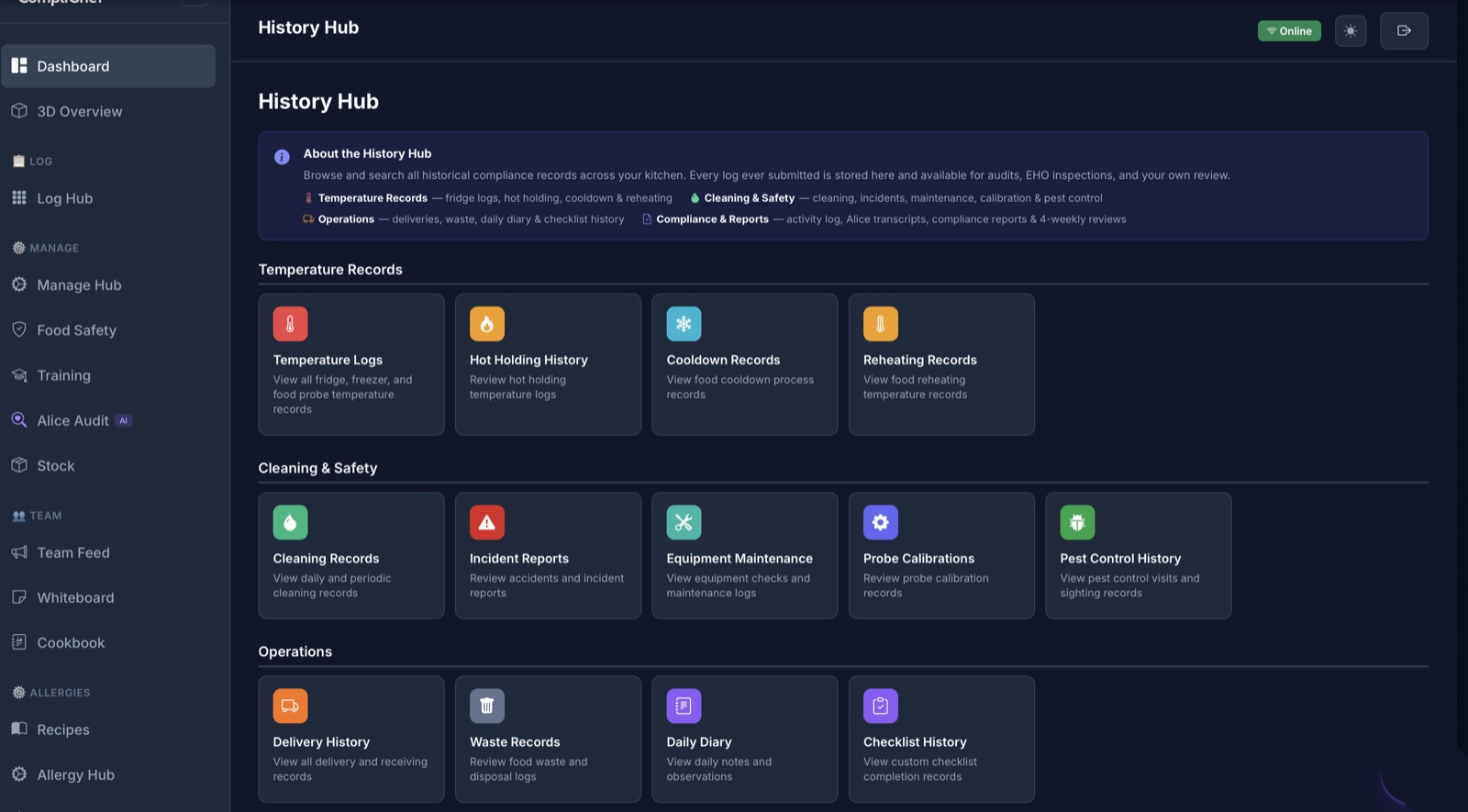
History Hub
Every log that has been submitted is stored in the History Hub, ready for audits, EHO inspections and day-to-day review. It groups records into temperature (fridge logs, hot holding, cooldown and reheating), cleaning and safety (cleaning, incidents, maintenance, calibration and pest control), and operations (deliveries, waste, daily diary and checklist history).
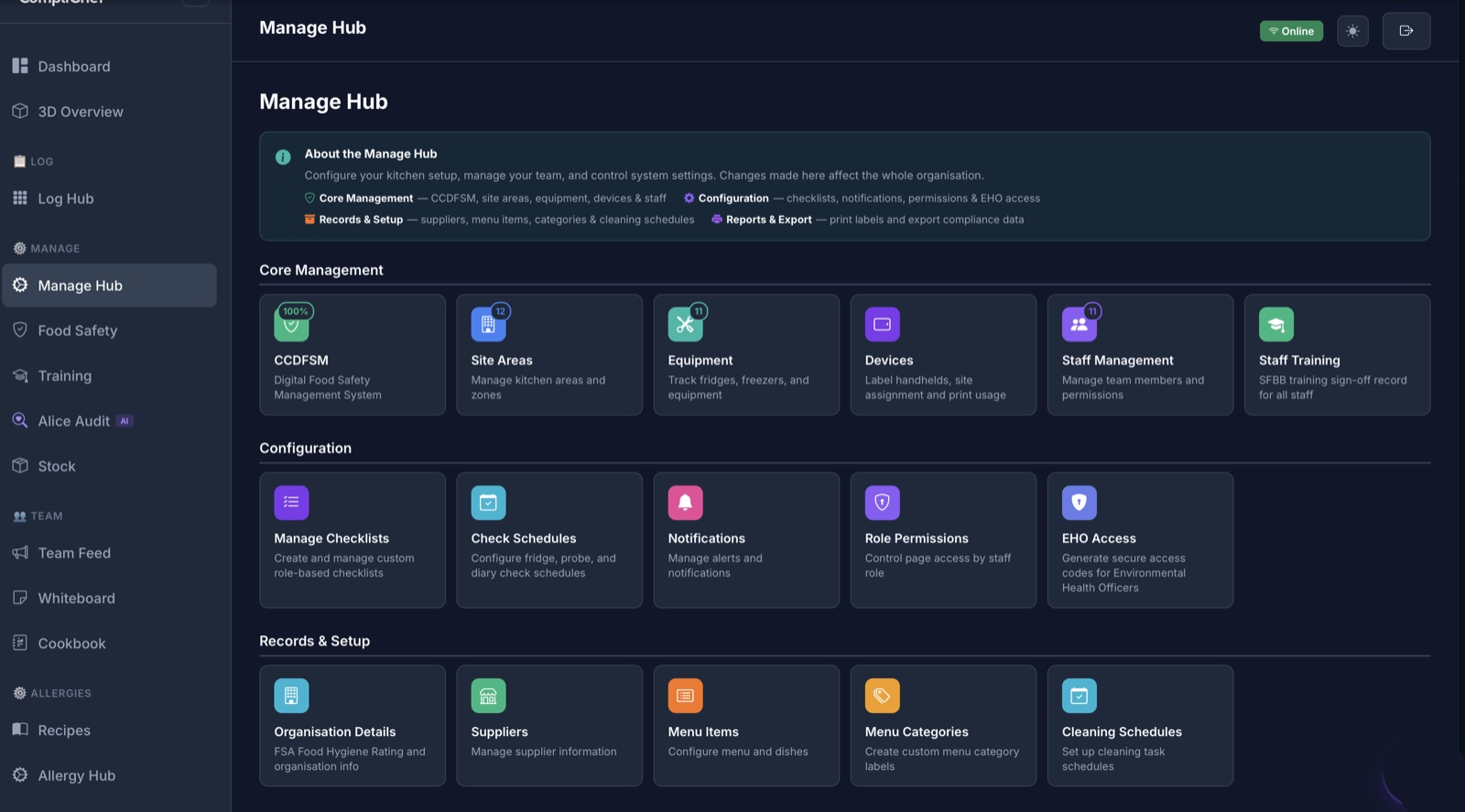
Manage Hub
Manage Hub is where owners and managers set the site up and keep it tidy:
- Core management: CCDFSM, Site Areas, Equipment, Devices, Staff Management, Staff Training
- Configuration: Manage Checklists, Check Schedules, Notifications, Role Permissions, and EHO Access (secure access codes for Environmental Health Officers)
- Records and setup: organisation details, suppliers, menu items and cleaning schedules
3D Overview
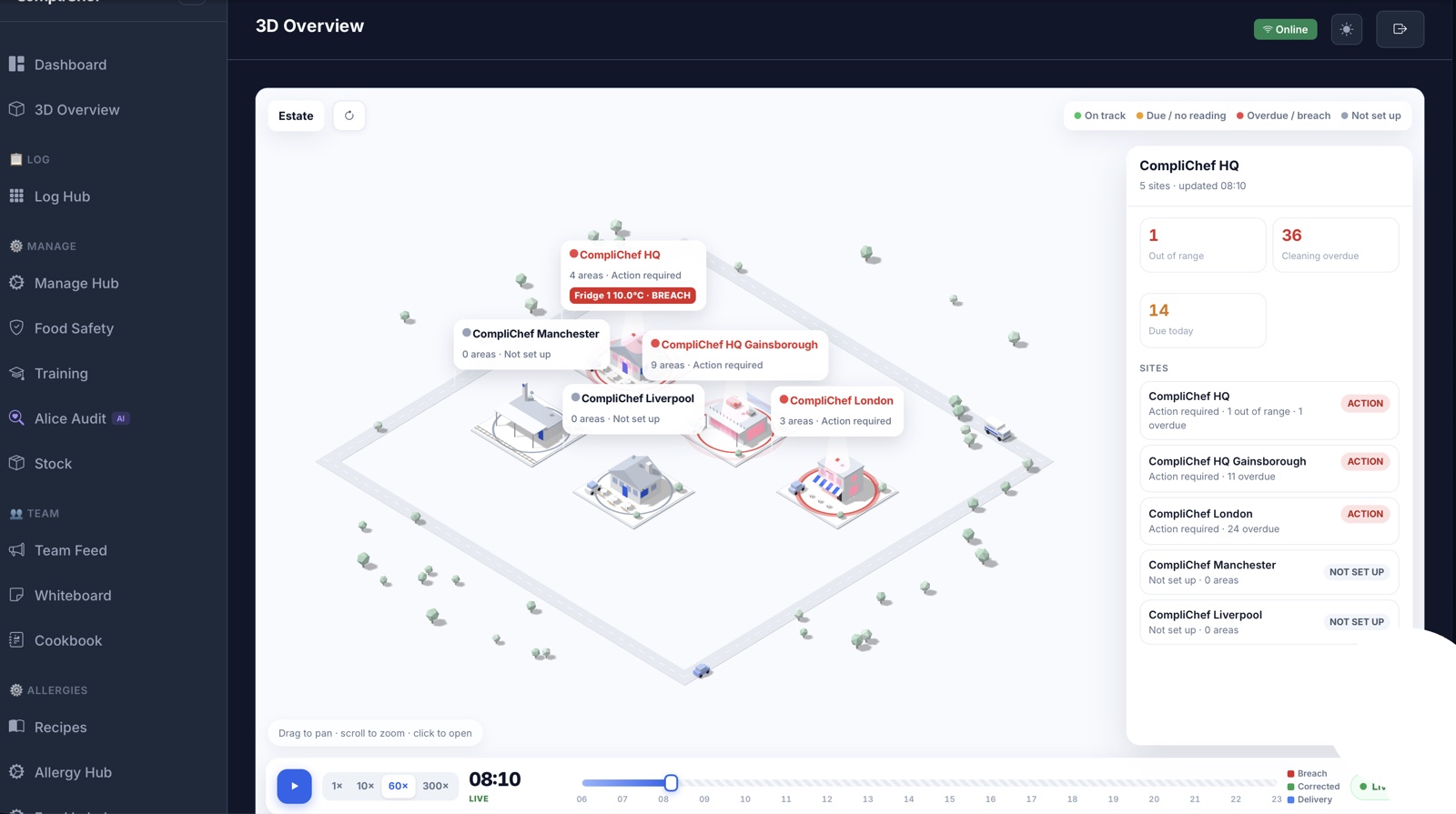
For multi-site operators, 3D Overview maps the estate. Each site shows a status (On track, Due, Overdue/breach, or Not set up). Callouts flag problems such as a Fridge 1 breach. A sites panel summarises what needs action, and a timeline with Live mode lets you replay the day. More on running several kitchens in our multi-site operators guide.
How they work together
Staff complete checks in the app. Those records land in the same place the portal reads from.
Managers open the portal and see what was done, what was missed, and which kitchen needs a push. They adjust schedules, notifications and permissions in Manage Hub without asking staff to leave the pass. When an EHO visits, History Hub and EHO Access are ready on the laptop, while the team on the floor keeps logging as normal.
App for the doing. Portal for the oversight. That is the whole idea.
Ready to try both sides
If you want the companion apps for your team and the portal for managers and owners, start a 14-day free trial. Built for UK hospitality, by a chef, and used in real kitchens since 2018.