Online ordering that knows your kitchen
Most click and collect platforms are built by software companies. They handle the transaction, pass you an order, and leave the rest to you.
CompliChef Click & Collect is different. It is built into the same platform as your food safety records, allergen data, and staff management system. When a customer places an order, the information flowing into your kitchen is already connected to your compliance setup — allergen declarations, ingredient lists, and preparation requirements are all in the same system.
This is not just a payment gateway with a menu builder bolted on. It is an ordering platform designed specifically for food businesses that take their compliance obligations seriously.
The Android app for your managed kitchen device
CompliChef Click & Collect includes a dedicated Android app built to run on a managed device in your kitchen or front-of-house.
The app is designed to be always on, always connected, and always visible — not buried in a browser tab on a shared laptop that gets used for six other things during service.
What the app does
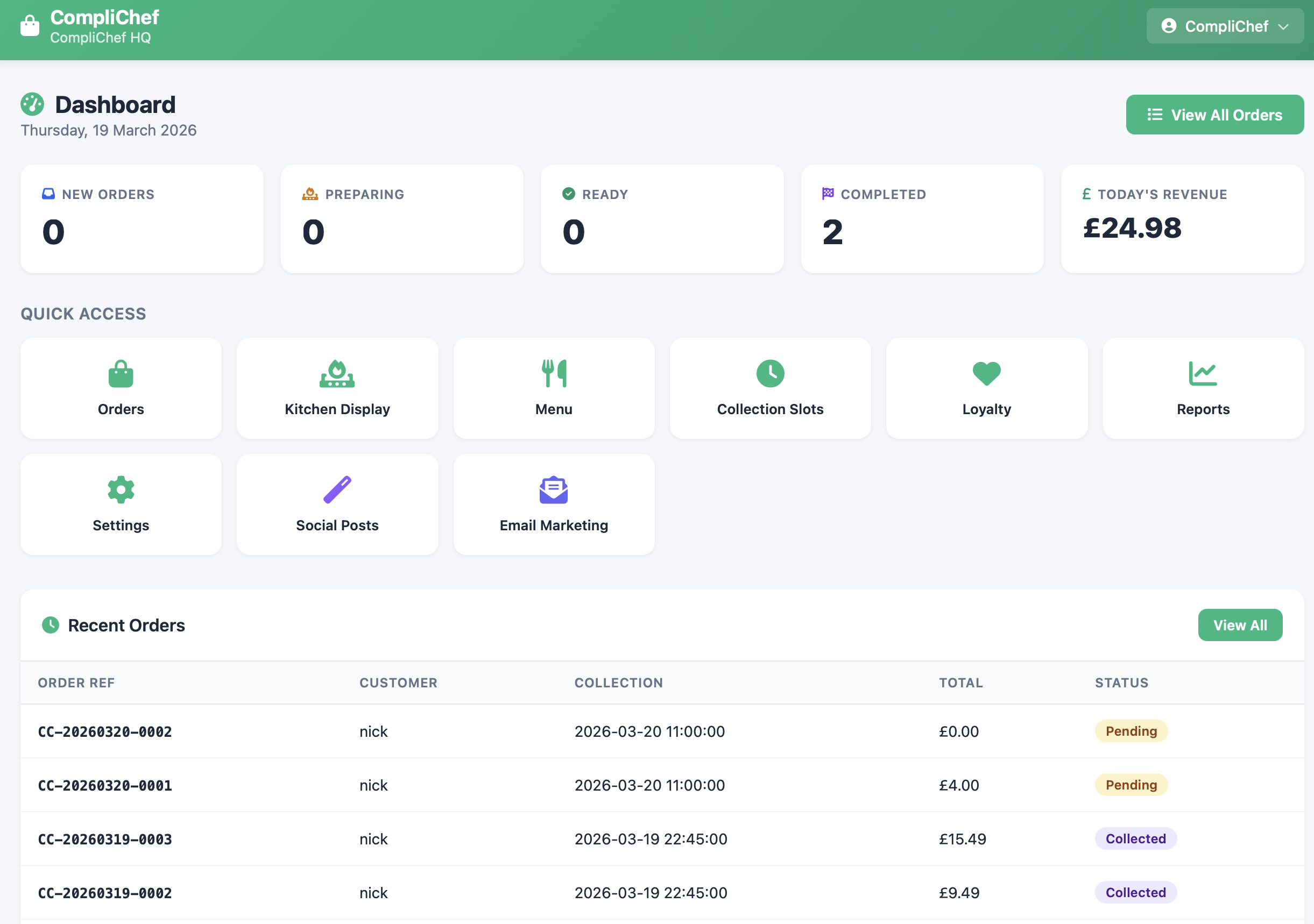
- Receives incoming orders in real time — new orders appear on screen with a notification, order number, item breakdown, and any allergen or dietary flags
- Displays the full order queue — open, in-preparation, and ready-for-collection statuses managed directly from the screen
- Supports order acceptance and rejection — the kitchen can confirm or decline orders with a reason, which is communicated back to the customer automatically
- Tracks order timing — every order is timestamped from placement to collection, giving you a record of your operational flow
- Shows allergen information at order level — if a customer has declared an allergen, it is surfaced prominently on the order card in the app
Managed device setup
The Android app is designed to run on a dedicated managed device — typically a wall-mounted or counter-mounted tablet — in kiosk mode.
This means:
- The device runs only the CompliChef Click & Collect app — no access to a browser, other apps, or settings
- The screen stays on and active during operating hours
- The app cannot be accidentally closed, minimised, or navigated away from
- Remote management is handled through your CompliChef account — you can push menu updates, open and close ordering windows, and change settings without touching the device
- If the device loses connectivity, it reconnects automatically and syncs any missed activity
This approach removes the human error risk of a busy kitchen missing an order because someone switched tabs or put the screen to sleep.
What customers see
Customers access your Click & Collect storefront through a branded ordering page linked to your business. They can:
- Browse your full menu, organised by category
- See item descriptions and allergen information before they order
- Select collection time slots (if you choose to enable them)
- Pay online at the point of ordering
- Receive confirmation and collection updates by SMS or email
The storefront is mobile-first and works on any device without an app download required.
The compliance connection
Click & Collect in CompliChef is not a separate product that happens to be sold alongside your compliance tools. It is connected to the same data layer.
**Allergen data flows from your menu records.** The allergens you have declared for each dish in your KitchenPortal allergen matrix are the same allergens displayed to customers on the ordering page. You do not maintain two separate lists — update your menu allergens in CompliChef and your ordering page reflects it. **Order records sit alongside your food safety records.** Every order placed and fulfilled through Click & Collect is recorded in your CompliChef account. If an EHO asks about a specific date or period, your operational records and your ordering activity are in the same place. **Staff accountability is maintained.** If your kitchen team uses the managed device to accept, reject, or update orders, those actions are logged against their CompliChef account — the same account used for temperature logs, cleaning records, and diary entries.Who Click & Collect is for
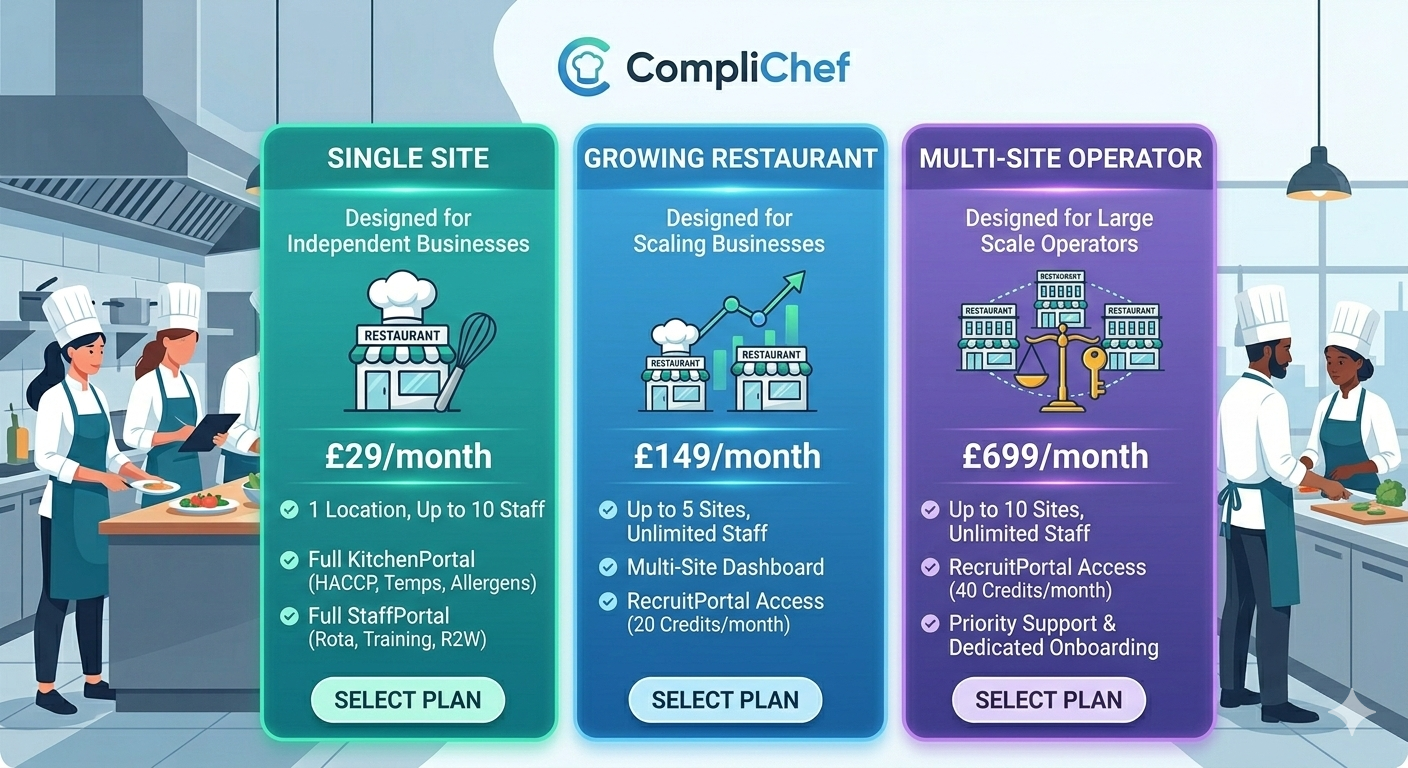
Click & Collect is included in the Complete plan (£150/month) and is available as an add-on for other plans.
It suits:
- Independent restaurants and cafés that want a professional click and collect setup without paying third-party marketplace commission
- Ghost kitchens and dark kitchens that rely entirely on digital ordering and need it integrated with their compliance records
- Hotel and venue food operations that take pre-orders for events, functions, or room service
- Food businesses with multiple ordering windows — breakfast, lunch, and dinner — that need to control when orders come in relative to kitchen capacity
If you are currently using a third-party marketplace platform and paying commission on every order, Click & Collect lets you move that volume to a direct channel you control — with no per-order fee.
Setting up Click & Collect
Setup is done entirely within your CompliChef account. There is no separate onboarding, no account manager required, and no waiting period.
- Build your menu — add items, descriptions, prices, and allergen information in your CompliChef menu builder
- Configure your collection settings — set your operating hours, collection time slots, and any order minimums
- Connect your payment account — Click & Collect uses Stripe for payment processing; you link your existing Stripe account or create one during setup
- Install the Android app on your managed device — download from the Google Play Store, log in with your CompliChef credentials, and the device is immediately live
- Share your ordering link — your storefront URL is available immediately; add it to your website, Google Business Profile, and social media
The managed device does not require any additional configuration beyond installing the app. Kiosk mode is configured through your CompliChef account settings, not on the device itself.
The managed device in practice
A typical setup looks like this: a mid-range Android tablet — 10 or 11 inch screen — mounted on a stand at the pass or on a wall near the kitchen entrance.
During service, the screen shows the live order queue. New orders land with an audio notification. The chef or expediter taps to accept, assigns a prep time, and updates the status as the order moves through the kitchen. When it is ready, the customer receives an automatic notification.
Between services, the device shows a quiet screen — orders closed, no new activity. There is nothing to log out of, nothing to close down, and nothing to set up when the next service begins.
The device itself is an ordinary Android tablet. CompliChef does not sell hardware — you source the device, install the app, and it works.
Frequently asked questions
**Do I need a separate Stripe account?**Yes. Stripe processes all payments. You connect your existing Stripe account during setup, or create a new one — it takes about five minutes. Funds from orders go directly to your Stripe account; CompliChef does not hold or pass through payment.
**Can I limit how many orders come in at once?**Yes. You can set a maximum number of concurrent orders per collection slot, and the system will stop accepting new orders for that slot once it is full.
**What happens if the managed device goes offline?**The device reconnects automatically when connectivity is restored. Orders placed during an outage are queued and appear on screen when the connection comes back. Customers are not shown your ordering page as available during a confirmed outage period.
**Can I run Click & Collect without the managed device app?**Yes. Orders can also be managed through your CompliChef account in a browser. The managed device app is the recommended setup for in-service use because it keeps order management separate from your other admin activity.
**Is the ordering page branded to my business?**Yes. Your business name, logo, and brand colours are applied to the storefront. Customers see your branding throughout the ordering journey, not CompliChef's.
Part of the Complete plan
Click & Collect is included in the Complete plan alongside KitchenPortal, StaffPortal, and RecruitPortal — giving you every CompliChef module for one location at £150/month.
If you are already on a different plan and want to add Click & Collect, contact the CompliChef team to discuss your options.
The managed Android app is free to download and included with your subscription. There is no additional licence fee for the device, and no limit on the number of orders you can receive.