Your rota.
In your pocket.
The StaffPortal iOS app gives hospitality staff clear visibility of their schedule, the ability to claim open shifts, and a simple way to request holidays — all without the WhatsApp chaos.
Your schedule. Always clear.
Everything your hospitality team needs to know about their working week — when they're on, available shifts to claim, and holiday requests — all in one app.
See Your Rota
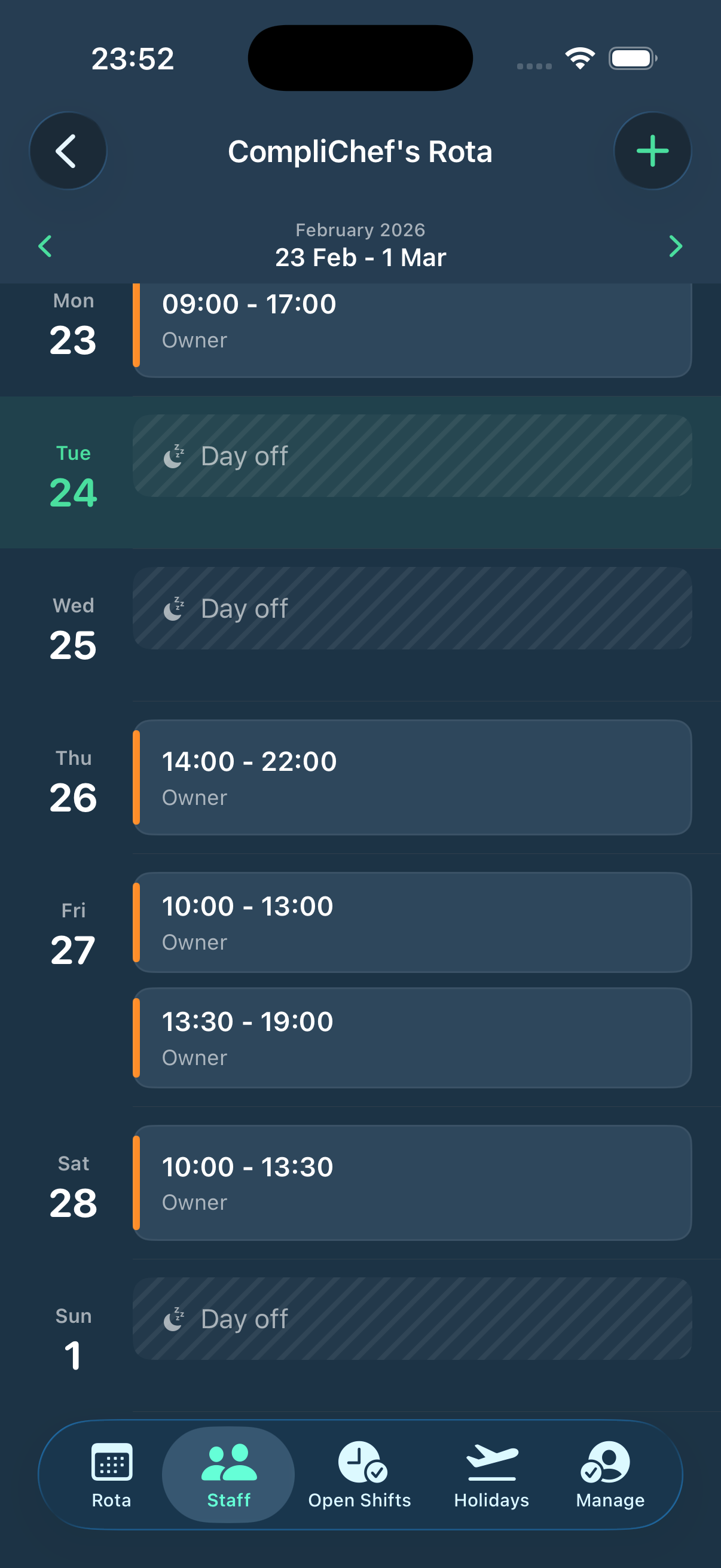
View your published weekly rota in a clean day-by-day or full-week layout. See every shift — including split shifts — at a glance. Published by your manager, visible the moment it goes live.
Claim Open Shifts
Managers can post available shifts to the app. Staff see them instantly and claim with one tap. No group chats, no "who's free Friday?" messages — just clear, organised shift management.
Request Holidays
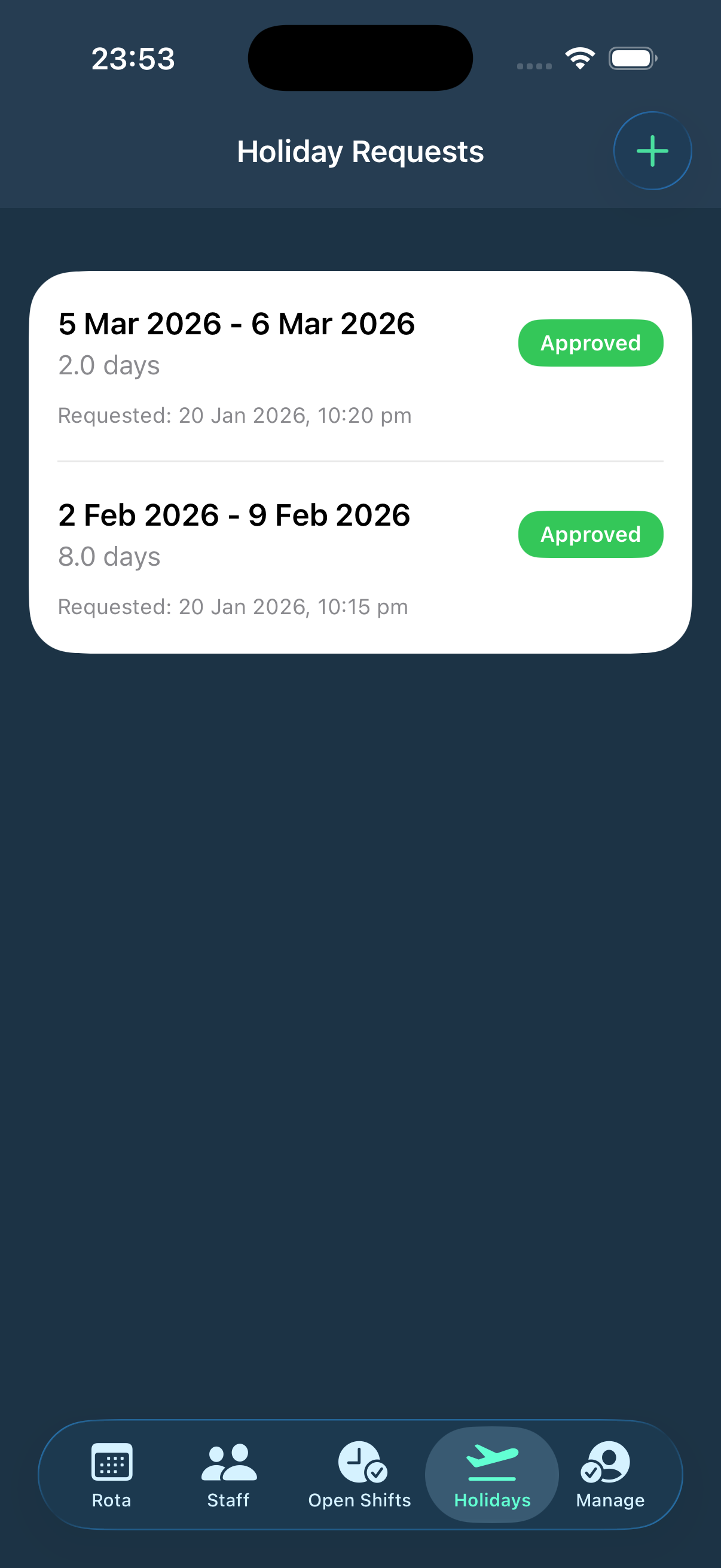
Staff submit holiday requests directly in the app with date ranges. Managers approve or reject from the web portal and the decision is shown in real time — with the full request history in one place.
Your whole week, at a glance
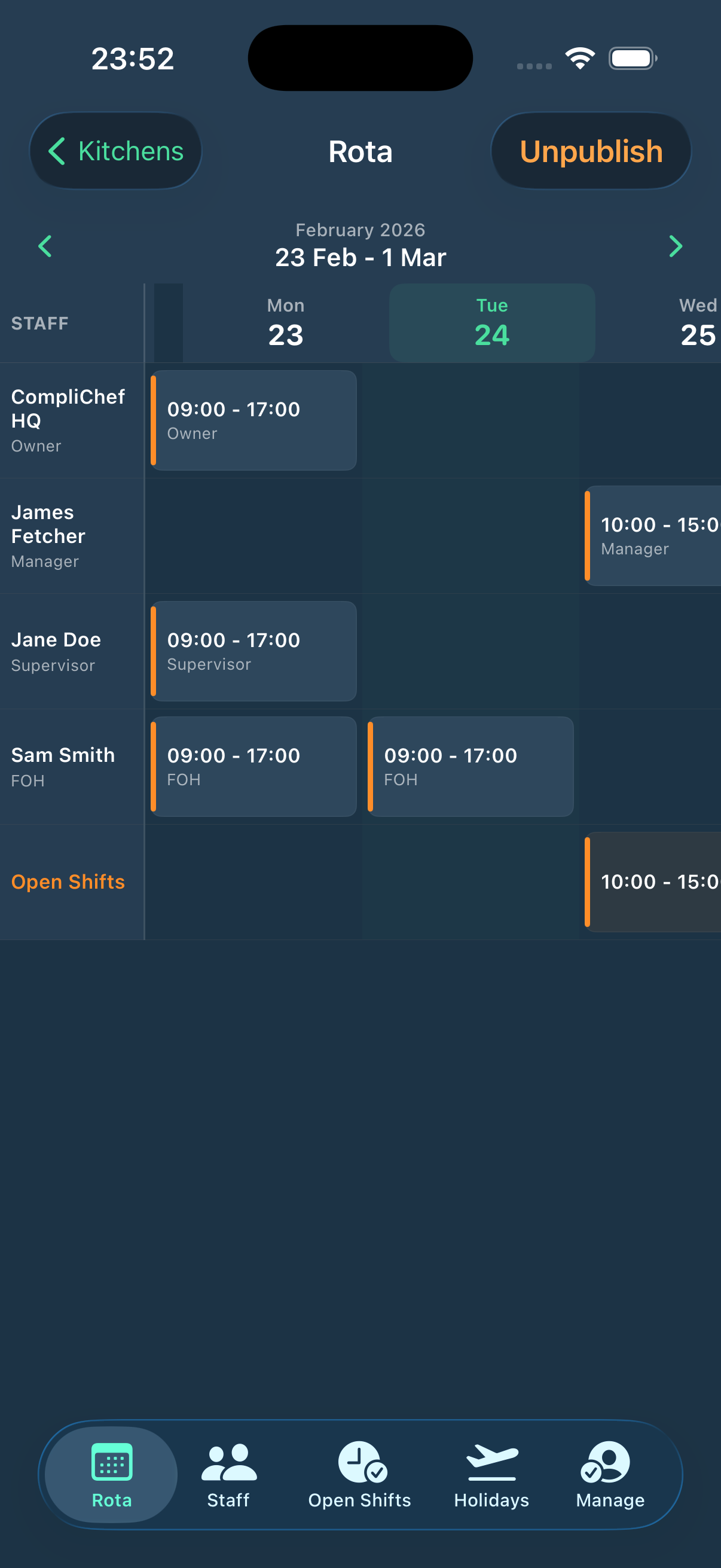
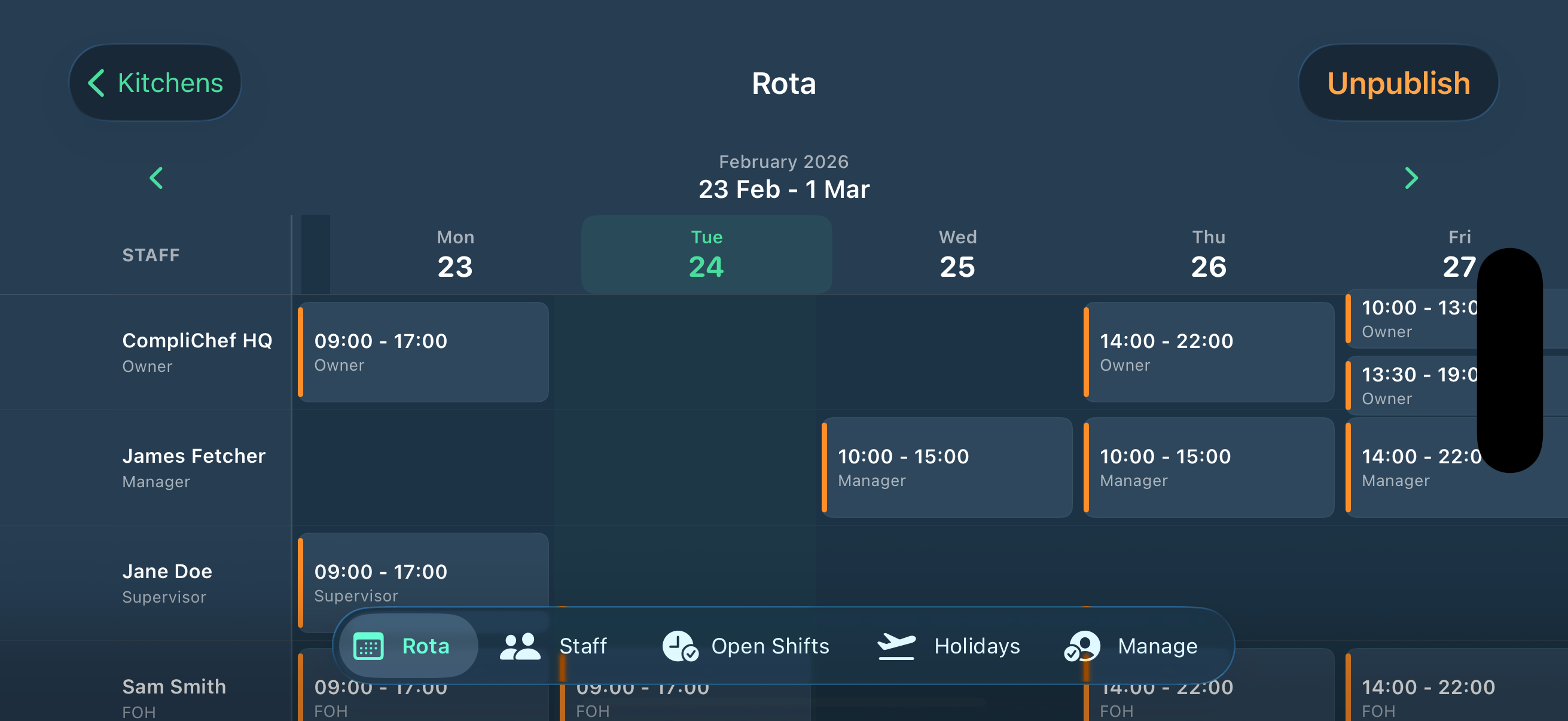
The Rota tab shows the full weekly schedule — every staff member, every shift, side by side in a scrollable weekly grid. Managers see the full team. Staff see their own shifts highlighted in their personal rota view.
- Full team weekly rota — all staff, all shifts in one view
- Personal rota view per staff member — their shifts only
- Split shifts shown clearly — multiple time blocks per day
- Day off markers — no confusion about unscheduled days
- Navigate between weeks with left/right arrows
The full team rota — mobile-ready
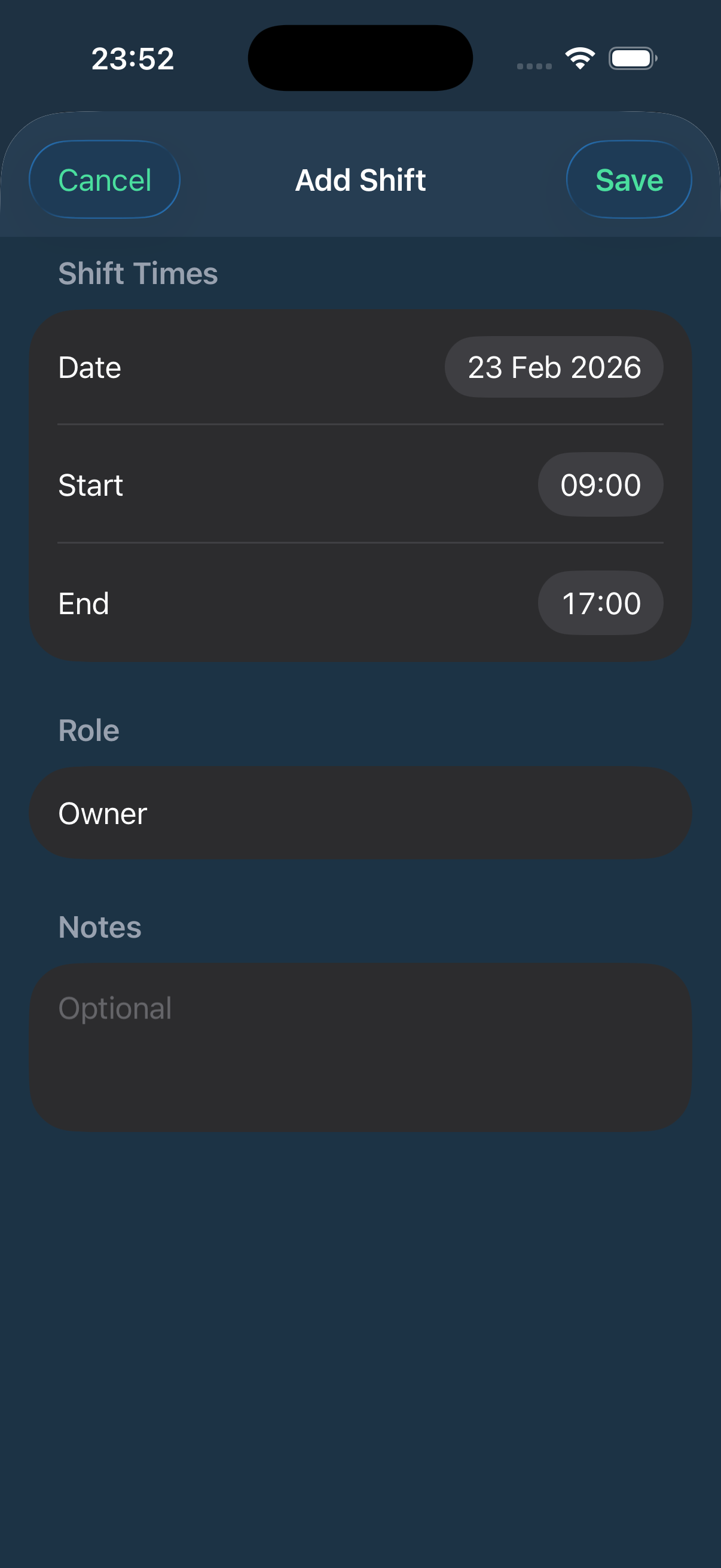
Managers can view, manage, and add shifts for the whole team directly from the iOS app. Publish and unpublish rotas on the go — no need to be at a desk.
All your kitchens. One login.
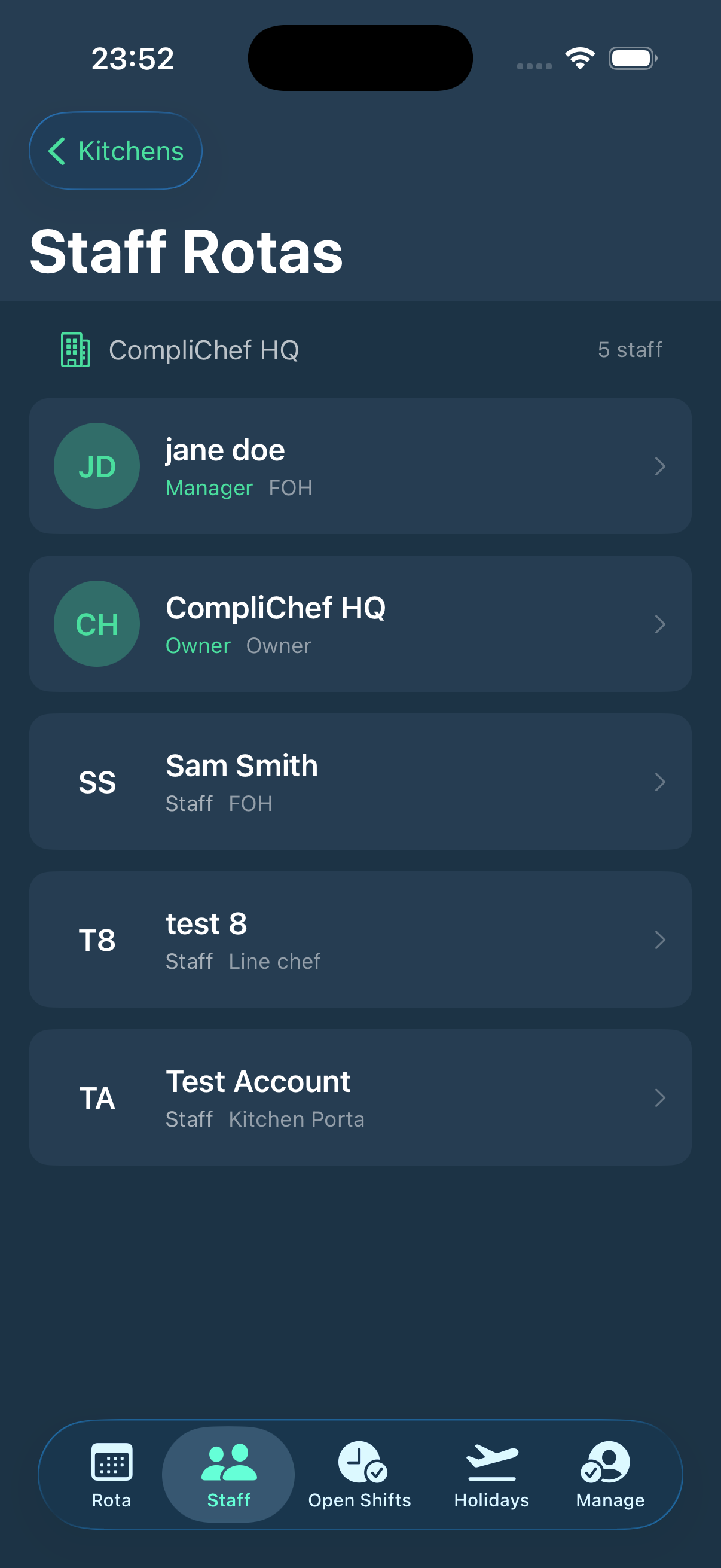
For multi-site operators and managers, the app lets you switch between all your kitchen locations after login. The Staff tab shows every team member per site — role, job title, and quick access to their individual rota.
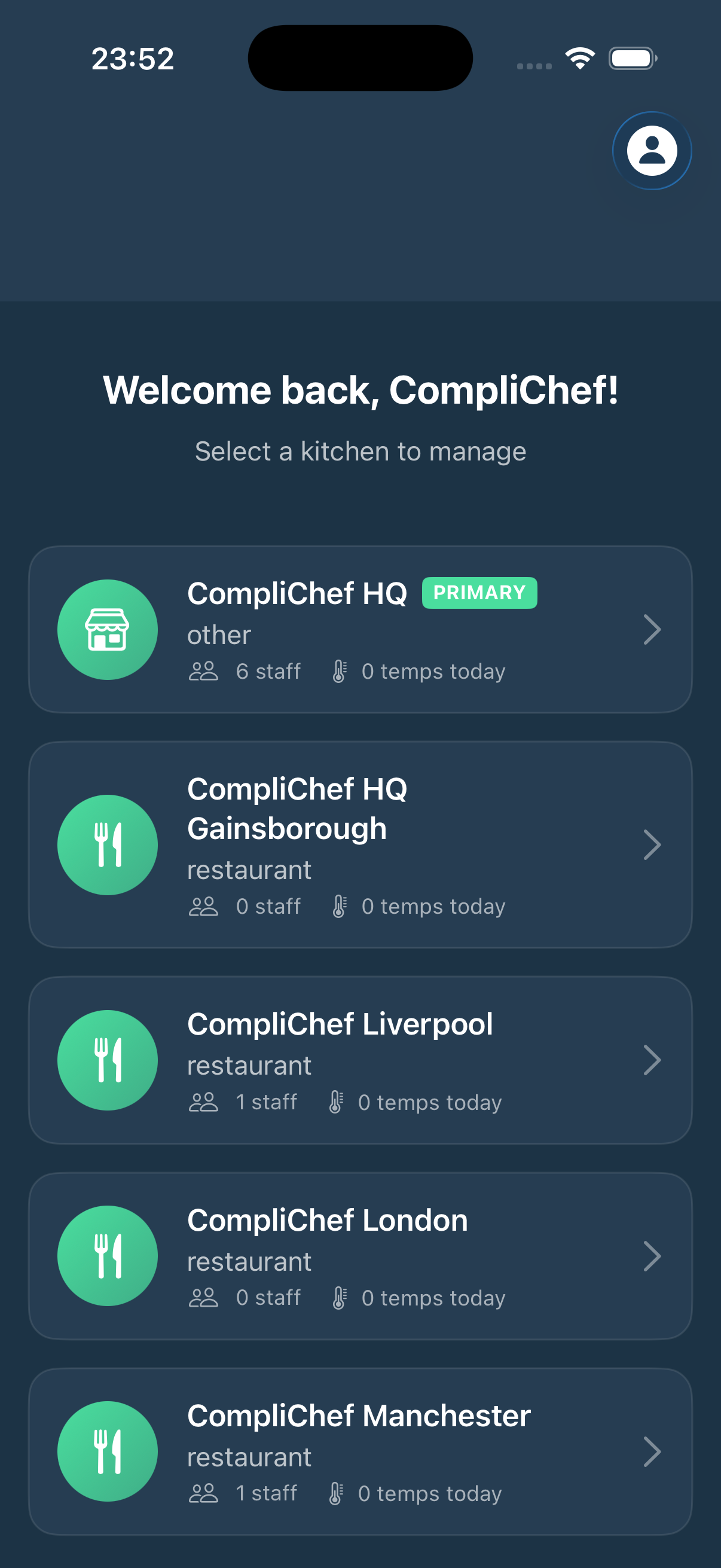
- Kitchen selector screen — choose which site to manage
- Staff tab shows all team members with role and job title
- Tap any staff member to see their personal rota
- Multi-site — Primary and secondary locations all accessible
- Staff count per site shown on the kitchen selector screen
Requests managed. Decisions tracked.
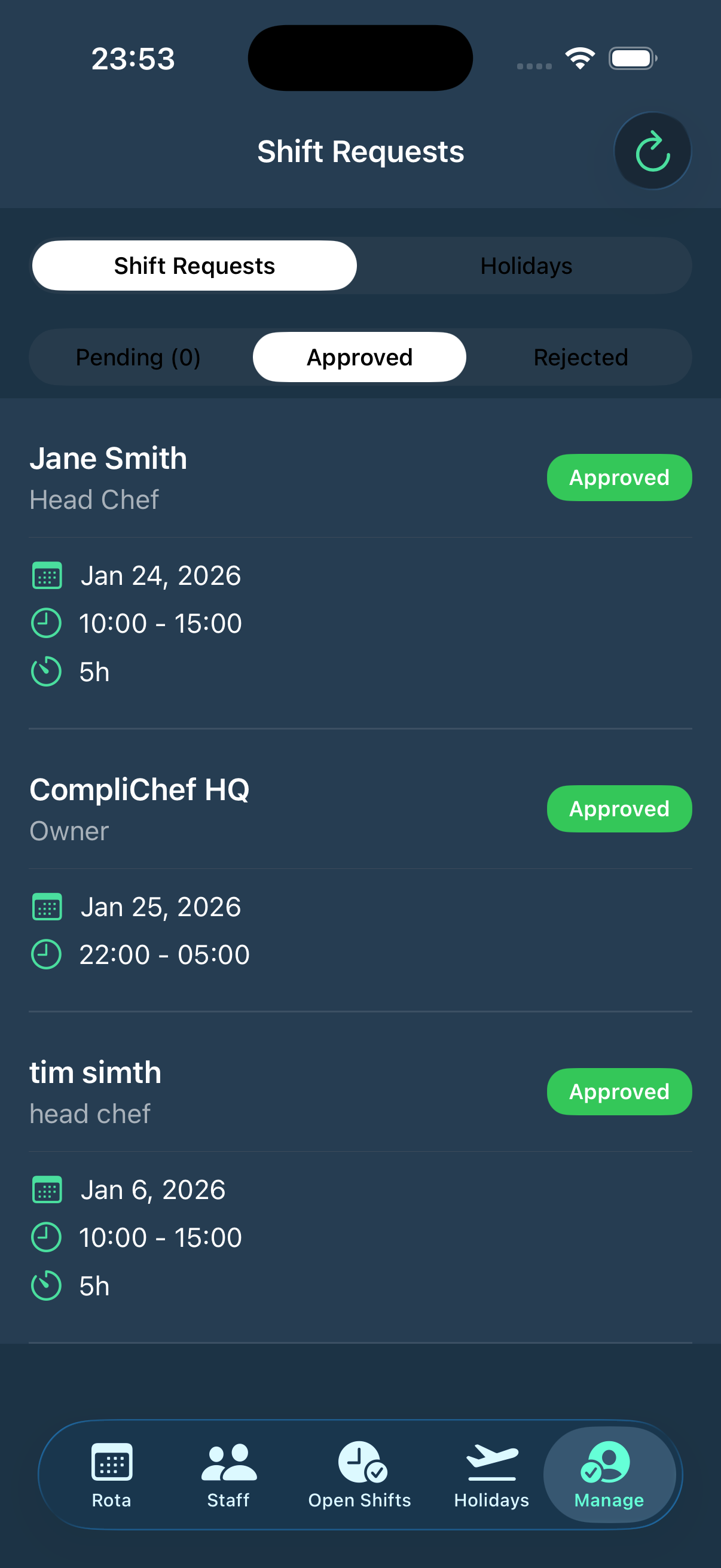
Staff submit holiday requests directly from the Holidays tab — pick a date range and send. Managers review all shift requests and holiday requests from a single Manage screen, with Pending, Approved, and Rejected filters.
- Holiday Requests tab — submit and track approval status
- Full request history — date range, days count, request time
- Manage tab — all shift requests and holiday requests in one place
- Pending / Approved / Rejected filter per request type
- Smart push notifications for every decision update
Your team is ready in minutes
StaffPortal accounts are created from the web portal by managers. Staff just download the app and sign in.
Manager creates accounts
Add staff members via StaffPortal on the web — they'll receive their login details.
Staff download the app
Free on the App Store. Search "StaffPortal" or share the App Store link.
Sign in & select kitchen
Staff sign in with their portal credentials and select their location.
View rota instantly
As soon as a rota is published, it appears in the app. Shifts, days off, everything.
Every screen. Built for hospitality.
Kitchen Selector
Weekly Team Schedule
Shift & Holiday Requests
New Shift Entry Form
Works on all your devices
Part of the CompliChef ecosystem
The StaffPortal iOS app is the mobile companion to StaffPortal — your web-based HR and rota management hub. Rotas built in StaffPortal appear instantly in the app. Holiday requests submitted in the app land straight in the web dashboard.
Give your team the clarity
they deserve
Download StaffPortal free and replace the WhatsApp group with a proper rota app.